


My Ride Is Here AI: Turn Your Photo Into a Flying Broom Video
Make an ordinary pickup unexpectedly magical. Create a My Ride Is Here AI video with your photo, a flying broom, a knowing smile, and a smooth departure.
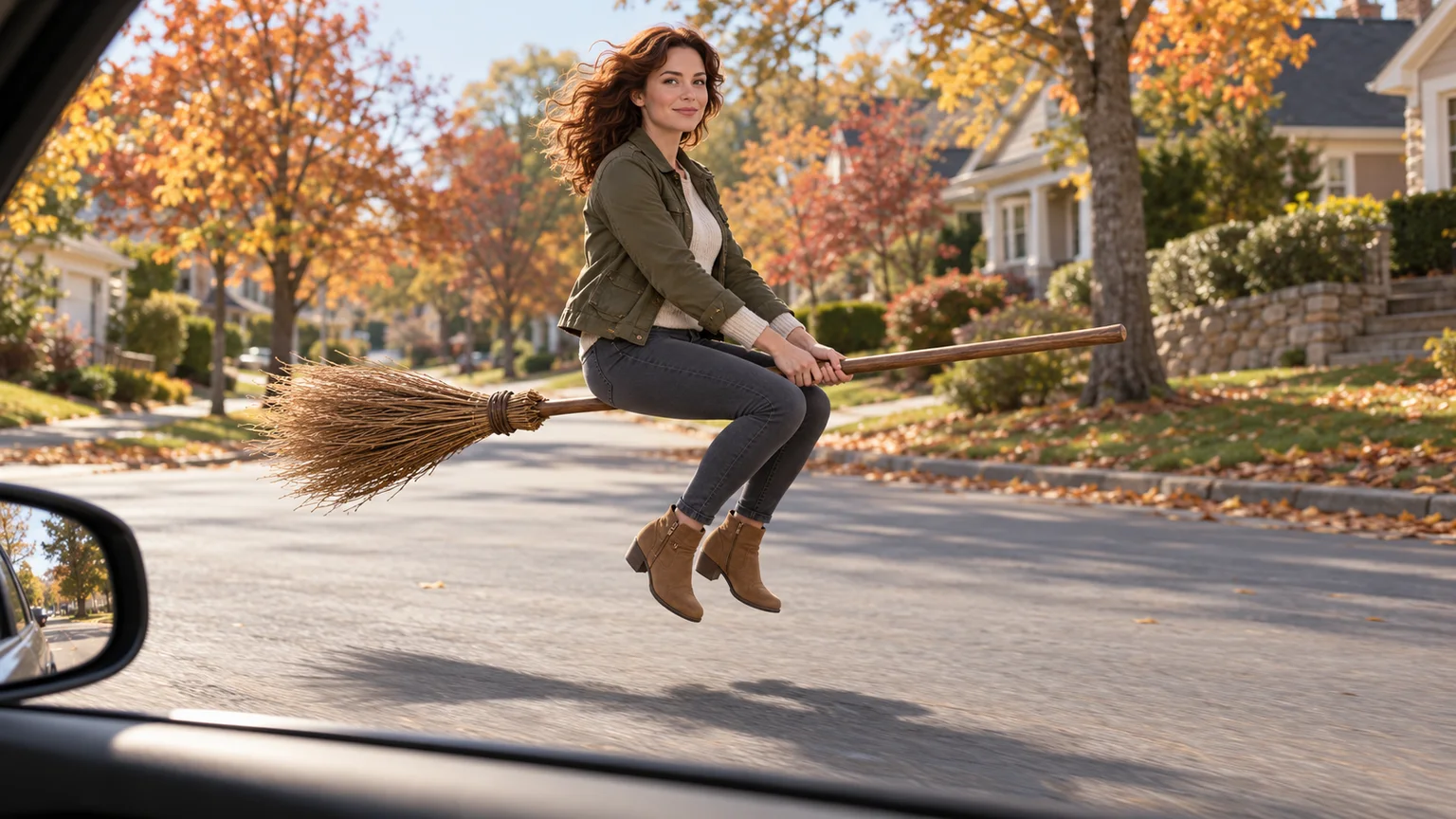
You glance out of a car window and recognize the person beside you. Then you notice the broom beneath them. My Ride Is Here AI makes that impossible commute feel casually normal: a familiar face, an everyday street, and a ride that has somehow forgotten to need wheels.
You can build your version on ImgToImage AI by preparing a broom-riding image, then animating it in the AI Video Generator. This guide covers the starting pose, a usable motion prompt, and the details to check before sharing. The accompanying pictures are original AI concept illustrations; they are not frames from a verified video generation.
What is the My Ride Is Here AI effect?
The flying-broom version places a person beside a car or along a road, hovering on a wooden broom as though it were everyday transport. A glance toward the camera gives the rider a moment of recognition before they move away. The scene can feel like a funny pickup, a goodbye, or a Halloween commute.
The contrast carries the joke. Familiar clothing and an ordinary neighborhood make the impossible vehicle noticeable without elaborate scenery. A witch outfit changes the mood, but a pointed hat is optional. The broom, the seated rider, and the visible space above the ground communicate the effect.
For a first attempt, choose one complete moment: already hovering beside the window, acknowledging the passenger, then leaving. A magical costume transformation or a broom arriving from another room would be a different sequence with more actions to coordinate.
Choose a clear portrait for the rider
Use a sharp photo of yourself or someone who has agreed to appear. An evenly lit face, visible eyes, and recognizable hair give you useful details to compare with the result. A waist-up photo is a practical starting point when it shows both the face and clothing clearly.
Avoid a tiny face inside a group shot. You do not need to hold a real broom or photograph an actual stunt; the image stage creates the riding pose. However, a close crop gives the model less information about your outfit, so describe any missing trousers and footwear explicitly.
Decide which details matter most. If your olive jacket is part of the joke, keep it in the prompt and inspect its shape before animating. If recognition matters more, prioritize a clear face over an elaborate costume. Both goals become harder to judge when the subject is distant or obscured by accessories.
Compose the ride before adding movement
A successful My Ride Is Here AI setup needs an understandable relationship between rider, broom, road, and camera. Think of the starting image as a small set: everything required for the joke should already be visible.
Use a passenger-window viewpoint with only a narrow piece of the car in the foreground. Leave a clear gap between the rider and the vehicle. The broom should run continuously beneath the seated person, with the handle ahead and the straw bristles behind. Hands grip the shaft in front; bent legs hang naturally on either side.
Give the rider somewhere to go. Leave open road ahead instead of placing a wall at the broom tip. For a vertical clip, compose a vertical reference from the beginning and keep the full broom inside its edges. Cropping a wide composition afterward may remove the very object that explains the scene.
Create your flying-broom reference image
Open the AI Image Generator, choose an available model that accepts a reference photo, and upload your portrait. Describe the person, pose, camera, and empty space together. Here is a suggested starting prompt:
Create a realistic fantasy photograph of the adult in my reference image, preserving their face, hair, and olive jacket. They sit astride one plain wooden broom hovering beside an empty suburban road in afternoon light. Show the full rider and broom from a three-quarter side view through an open passenger window. Keep only a small strip of the car interior in the foreground, clearly separated from the person. Both hands hold the forward shaft, knees are bent, and boots hang above the road. Straw bristles trail behind the rider. Leave open road ahead and space above their head. Use a relaxed expression, natural proportions, and a simple background without other people, lettering, or magical particles.
Replace the outfit description with your own. Review the still at full size: check the face, the seat position, the two hands, and the broom's uninterrupted shape. Correct a missing handle or a leg passing through the shaft before using the image as your video reference.
Animate My Ride Is Here AI on ImgToImage AI
Upload the finished scene
Go to the video workspace, sign in, and select Seedance 2.0 Mini. Upload the completed riding scene to Start frame, rather than using the original portrait. Leave End frame and Reference images empty for this attempt; reference images are a separate input mode.
Seedance 2.0 Mini accepts JPEG, PNG, or WebP images up to 10 MB each and supports 4–15 seconds at 480p or 720p. Choose 9:16 for portrait, 16:9 for landscape, or Auto to adapt to the input. Match the starting image to your intended framing, with room for the full broom and the departure.
Start with a modest departure
Try about six seconds for a glance and a short glide. Use this motion prompt as a starting point:
Animate the reference image as one continuous shot. The rider stays seated on the same broom, hovering beside the car. They turn their head slightly toward the passenger camera and give a small knowing smile. After a brief pause, they look along the road and glide forward several meters, rising only slightly. Keep both hands gripping the shaft and the hips connected to the broom throughout. Preserve the face, outfit, broom length, and street layout. The camera stays at the passenger window with a gentle follow toward the departure. No cuts, costume changes, extra brooms, spins, or sudden zooms.
Review the credit estimate, generate, and follow the job in video history. This is a suggested prompt, not a dedicated preset or a guarantee of exact choreography. Judge the first result before adding a longer flight or a more dramatic camera move.
Give the joke three readable beats
The opening should establish the impossible ride, the middle should show recognition, and the ending should complete the exit. If the rider disappears immediately, viewers may miss your face. If they hover indefinitely, the clip lacks a payoff.
| Beat | What viewers should understand | Direction to emphasize |
|---|---|---|
| Establish | A familiar person is sitting on a floating broom. | Keep the rider and bristles visible. |
| Acknowledge | The rider notices the passenger. | Use one small head turn and smile. |
| Depart | This unusual transport actually moves. | Follow one clear route down the road. |
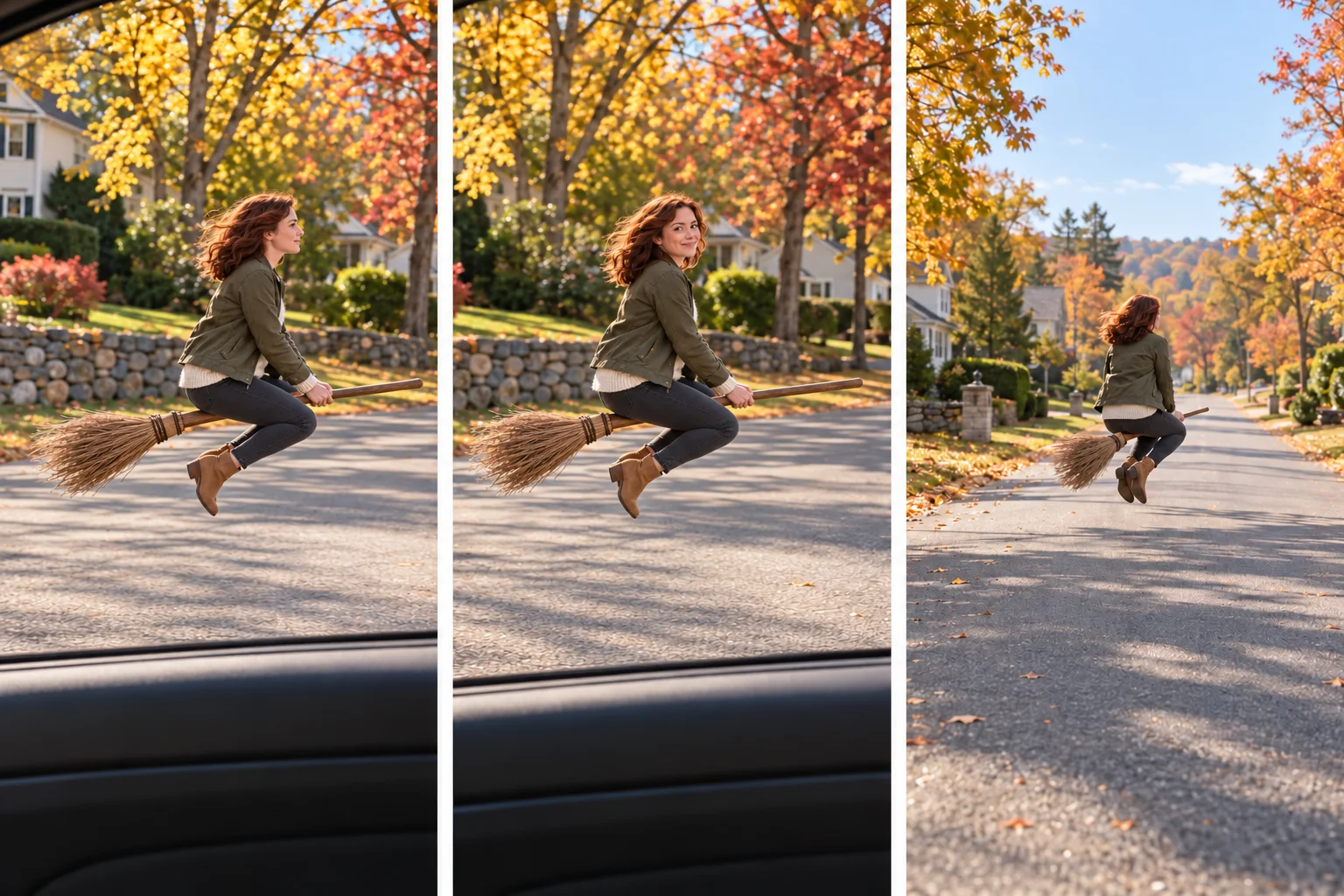
The sequence does not need exact timestamps in the prompt. Describe the order, then inspect how the model distributes the movement. If the smile is rushed, simplify the departure rather than adding several competing timing instructions.
Fix the details that break the illusion
Watch your My Ride Is Here AI clip once at normal speed, then pause during the head turn and the first forward movement. Those transitions help reveal whether the face stays recognizable and whether the body actually travels with the broom.
| Problem | First adjustment to try |
|---|---|
| The rider stands or floats above the shaft | Improve seated contact in the still and request a fixed riding posture. |
| The handle splits or changes length | Use one clearly visible broom and reduce the travel distance. |
| Hands slide away during flight | Keep both hands gripping; remove waving from the action. |
| The person passes through the car | Increase the starting gap and direct movement away along the road. |
| The face changes during the glance | Use a smaller head turn and a clearer reference face. |
| The background bends around the rider | Reduce the camera follow and remove nearby traffic. |
Change one thing per attempt. Keep the same starting image while testing a shorter flight, so you can compare the effect of that change. Increasing resolution is not a dependable fix for an ambiguous pose or conflicting directions.
Make the departure feel like your own joke
Keep the basic motion and change the context. For an after-work version, use everyday clothes and a caption such as “Found a better way home.” For a Halloween greeting, add autumn leaves and warm porch lights while keeping the face well lit. For a weekend escape, place the rider beside a quiet country lane.
Choose one variation before regenerating. Changing the outfit, location, lighting, and camera simultaneously makes it harder to see why a result works. A small environmental change can refresh the idea while preserving the clear riding silhouette.
When editing your My Ride Is Here AI video, trim any inactive opening and leave a short moment after the smile. Add the caption in an external editor or posting app, away from the face, hands, and broom. Preview the final crop on your phone before sharing.
Questions before your first flight
Is there a dedicated effect button?
This workflow uses ImgToImage AI's general image and video generators. You supply the scene and motion directions. It does not use a built-in flying-broom template that automatically reproduces a particular social clip.
Can I use text alone?
You can describe a fictional rider with a text-to-video model. For a version based on your appearance, prepare the reference image first. Text alone does not provide your facial features.
Will it include the sound from a social post?
A written flight prompt does not identify or import a particular song. Add suitable audio afterward in your editing or posting app. ImgToImage AI currently has no built-in music generator or editing timeline.
Can I make it for free?
Check the account balance and current generation estimate. Available free credits must cover the request. Budget for the reference image and possible retries as well as the video; no fixed number of free attempts is assumed here.
Your next ride starts with one clear frame
Prepare the seated pose, keep the car separate, and give the rider a simple path forward. Then open the AI Video Generator to create your My Ride Is Here AI clip. A recognizable smile and a clean departure can make a small impossible commute worth sharing.
Keep exploring
 Video Guides
A low camera, an absurd stack of cash, and a perfectly serious face. Break down a real Money Flex AI example and plan your own version with practical prompts.
 Video Guides
Step through the gate and make the path your stage. Create a Fergie Baby AI walk from your photo, with a confident stride, expressive gestures, and a camera that keeps pace.
 Video Guides
An outrageous dunk, a stunned defender, and a cheeky finish. Create a Basketball Middle Finger AI clip with your own cast and a play the camera can follow.
 Video Guides
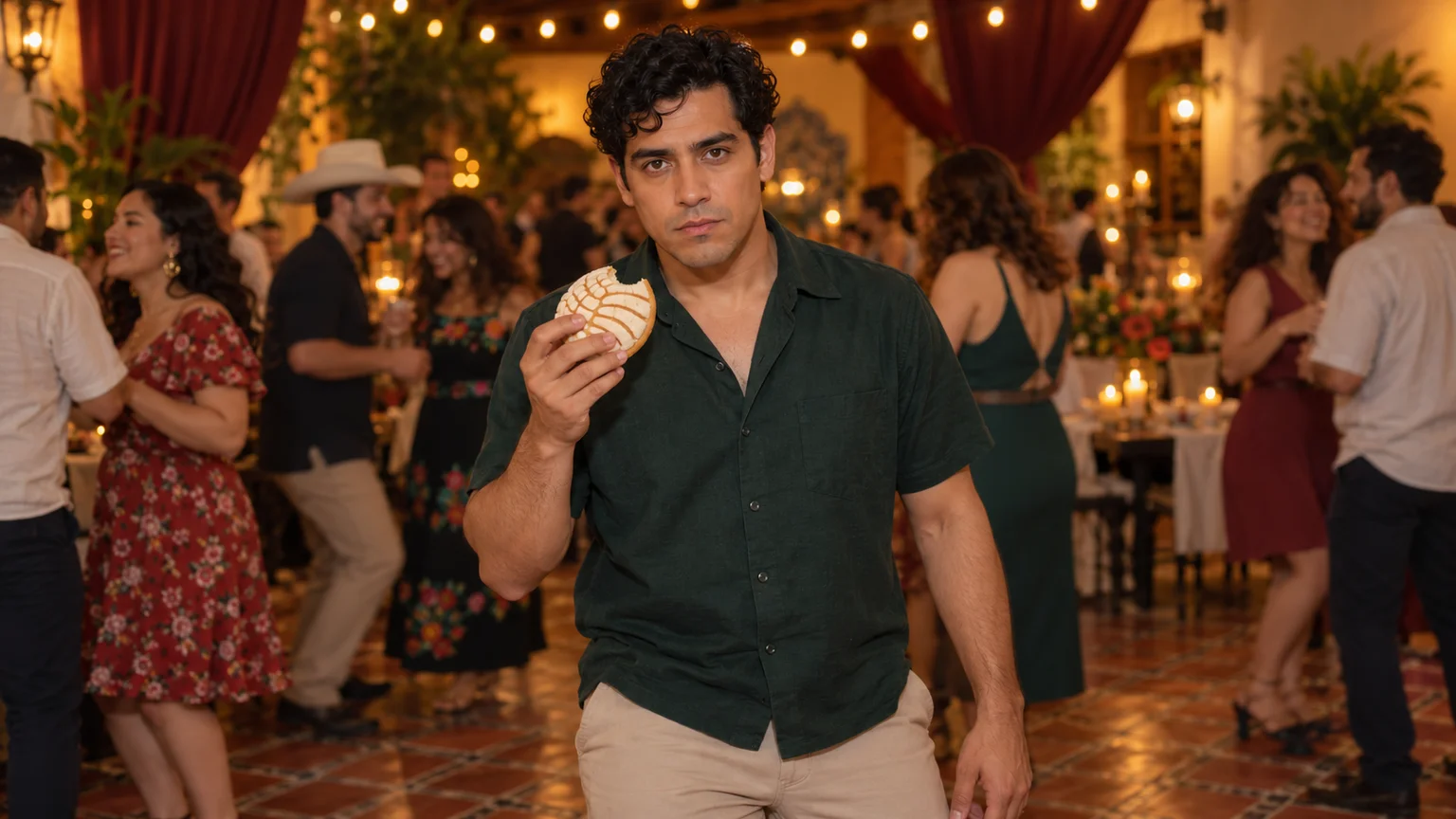
The party keeps moving, but you stop to stare. Make a Bby Wow Guy AI scene with your photo, a concha, and the awkward pause that makes the joke land.