


Image to Image AI logoImage to Image AI
  • Home
  • AI Image Generator
  • AI Video Generator
  • Tools
  • Nano Banana 2.1
  • Flux 3 Klein
  • Seedream 5.0 Pro
  • Seedream 5.5
  • GPT Image 2.5
  • GPT Image 2.6
  • MiniMax H3 Image
  • Kling 4.0
  • Grok Imagine Video 1.5
  • MiniMax H3 Max
  • Seedance 2.5
More
  • Blog
  • Pricing

Guest

Save your creations

Credits—
  1. Home

Your video workspace

Sign in to see your creations. You can explore models and write a prompt now.

Optional
Optional
|
456
Checking your sign-in status…

Kling 4.0

Kling 4.0 generates continuous AI videos up to 30 seconds long with native stereo audio. Start from a text prompt, guide the look with reference images, or lock the opening frame so the clip begins exactly where you want. One clear subject, one main action, and a simple camera move produce the most reliable results.

Create with Kling 4.0

AI Video Generators to Explore

Find new ways to animate your photos, from dance clips and outfit changes to imaginative scenes.

  • Christmas Dance Trend

  • Christmas Photobooth

  • Bicep Heart Trend AI

  • Apartment Dance

  • AI Trouble Maker Video

  • Elevator Outfit Change AI

  • Skull Cap Trend AI

  • Stones to Castle AI

  • WYW My Sweetie Dance

  • Black Friday Video Maker

  • La Tormenta De Arena AI Club Spotlight

  • Baby Born with a Mustache

  • Burger Thru Window

  • Outstanding Tiny Desk AI

Page 1 of 2

What Can You Create with Kling 4.0?

A product turns into the light. A character pauses before answering. A camera follows a journey through a changing landscape. Kling 4.0 brings movement, performance, and sound to these moments, turning a written idea or still image into a scene with its own pace.

Released on October 15, 2026, Kling 4.0 gives actions up to thirty seconds to develop in one generation. Native stereo audio adds dialogue and atmosphere as the video is created, making sound part of the scene from the start.

Create campaign videos, short narrative scenes, character introductions, or visual content for social channels. Kling 4.0 works from text, image references, or start and end frames, giving each project a starting point that matches the material you already have.

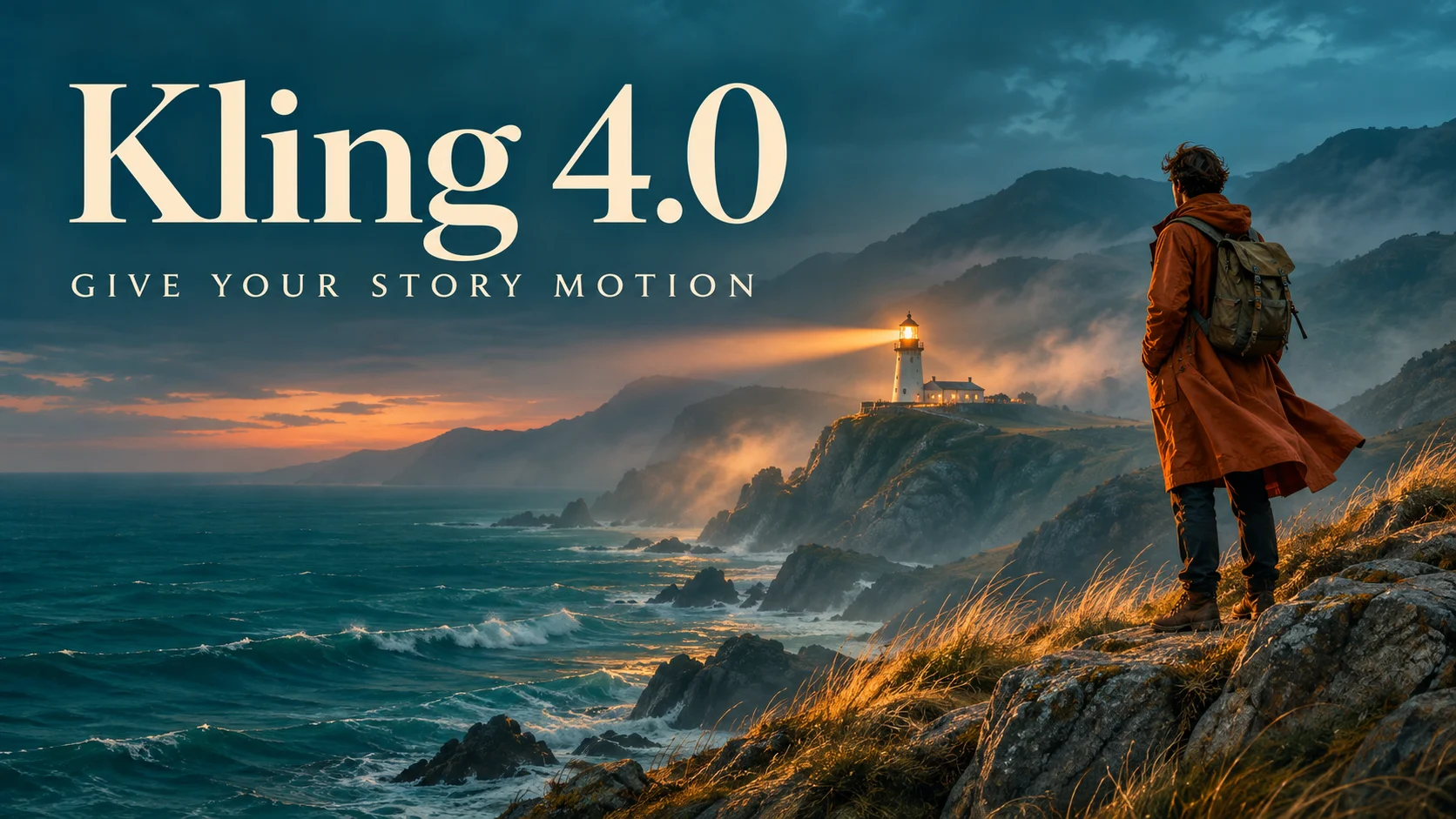
Kling 4.0 title above a traveler overlooking a teal sea and glowing lighthouse

Key Features of Kling 4.0

Create longer continuous scenes with native sound and image guidance. Give your characters an appearance, an action, and a voice.

Continuous Action for Up to 30 Seconds

Kling 4.0 generates clips from three to thirty seconds long, giving an action space to develop within a single sequence. A camera can follow a cyclist along a winding route, a reveal can build toward its subject, or a character can move from anticipation to a reaction. The sequence has room for an opening, a developing action, and a closing moment.

A continuous shot keeps the viewer with the subject as the surroundings change. The cyclist’s route becomes a journey through the landscape, with the lighthouse providing a destination and a natural closing view.

Create a continuous scene
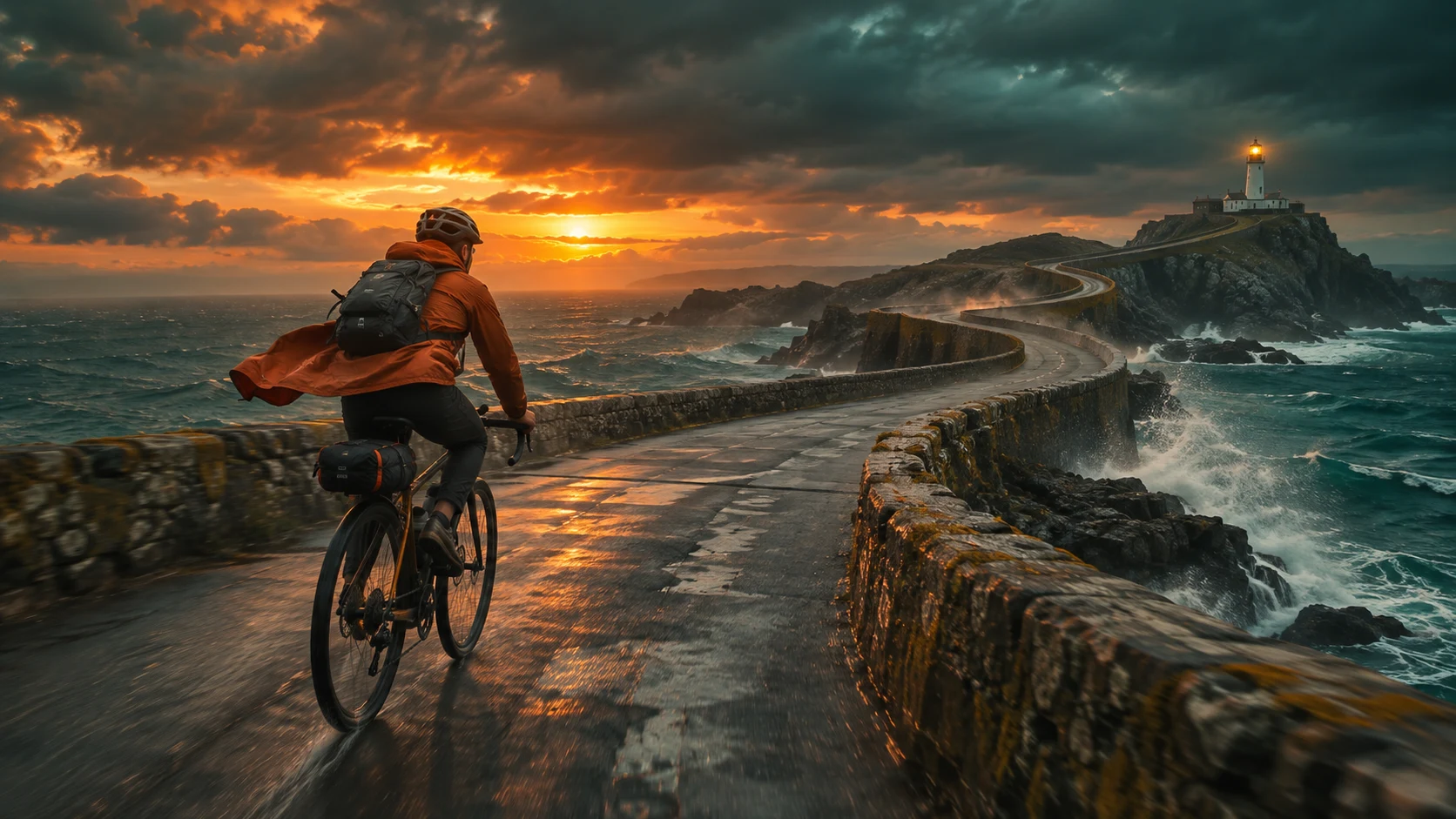
Cyclist in a rust orange jacket riding a coastal causeway toward a lighthouse
A winding coastal route gives the cyclist space for a continuous tracking shot and a gradual reveal of the lighthouse.

Stereo Sound, Dialogue, and Performance

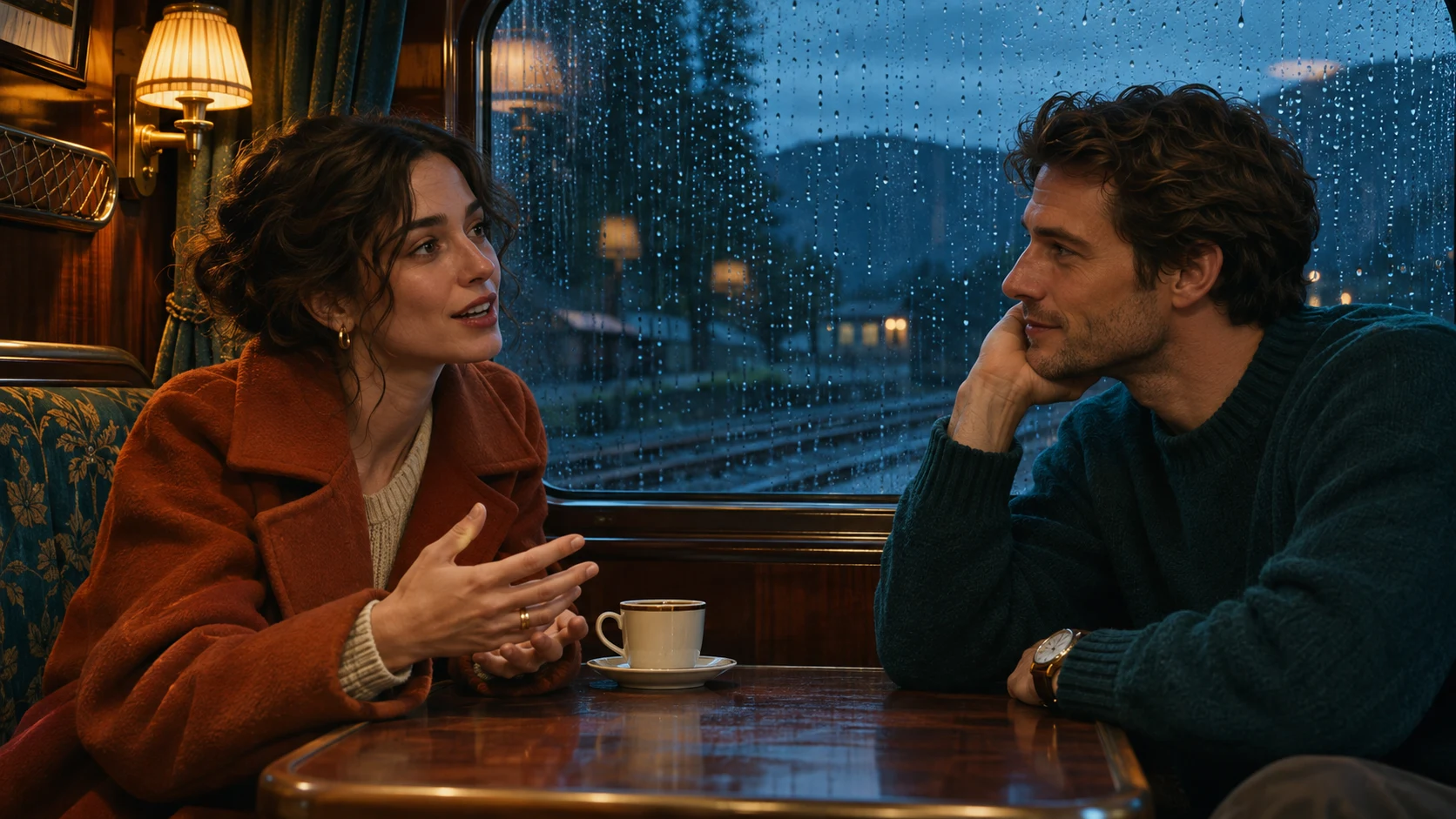
Kling 4.0 generates native stereo audio with the picture, bringing speech, lip movement, and environmental sound into the same scene. A quiet line of dialogue can change the meaning of a glance; rainfall and the rhythm of a train can establish a place before the camera reveals it. Voice delivery, background ambience, and the sounds of visible actions all become part of the creative direction.

A hesitant answer and an excited greeting suggest different performances. Describe the delivery alongside the spoken words to give the character a mood, with native audio enabled from the start.

Create a scene with sound
Two adults sharing a quiet conversation in a warmly lit train compartment beside a rainy window
Quiet conversation, rainfall, and the rhythm of the train give the compartment scene distinct layers of sound.

Recognizable Subjects, Guided by Your Images

Bring a specific product, character, or setting into motion with image guidance. Kling 4.0 accepts up to ten reference images to establish appearance, including the shapes, colors, and details that make a subject recognizable. A prompt then gives those visual references an action and a camera direction. This is useful for campaign concepts built around an existing product or a recurring character.

Alternatively, use start and end frames to guide the first and final views. A photograph can establish the opening, while an optional ending image gives the transition a destination.

Guide a video with images
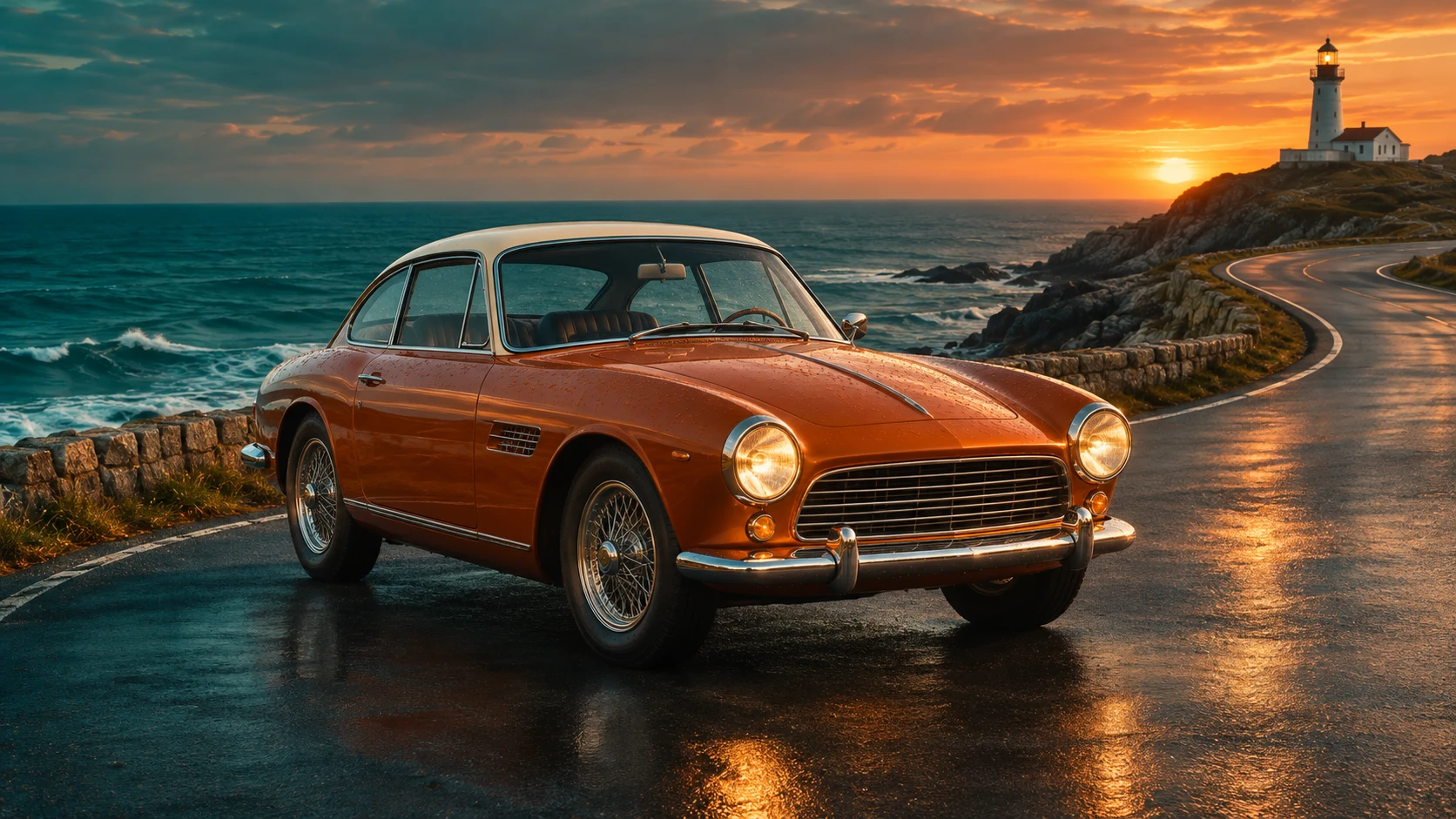
Burnt-orange vintage coupe with a cream roof on a coastal road above a teal sea
The distinctive coupe provides a clear visual reference for its shape and color as the camera moves around the coastal bend.

Three Ways to Create with Kling 4.0

Start from a written idea, supply the appearance of your subject, or define the opening image. Each approach gives Kling 4.0 a different kind of direction.

Text to Video: Imagine the Whole Scene

Describe the subject, setting, lighting, and action. Kling 4.0 turns that brief into moving imagery with sound, making text a flexible starting point for fictional locations, atmospheric scenes, and concepts that exist only in your imagination.

Reference to Video: Bring Your Subject Along

Supply a product, character, or setting through up to ten image references. In the prompt, @image_1 and @image_2 identify upload order, so you can give each picture a role in the scene.

Image to Video: Start from a Composition You Love

Use a start frame to animate an existing image, then describe what happens next. Add an end frame when the scene has a specific destination. This approach suits an illustration coming to life, a product moving into a final pose, or a planned transition between two compositions.

Kling 4.0 for Products, Stories, and Social Videos

Motion serves different purposes in different projects. A campaign needs attention on a product; a story needs an expressive moment; a social clip needs an idea that reads quickly.

Product Videos with a Clear Focal Point

Turn a product image into a moving presentation. A slow orbit can reveal its silhouette, a closer approach can emphasize texture, and changing reflections can give glass or metal a sense of depth. Kling 4.0 brings movement to launch concepts, lifestyle scenes, and short product showcases while references guide the visual identity.

Character Moments with Sound and Emotion

Build a scene around a conversation, an arrival, or a change of expression. Dialogue and visible movement can work together to communicate a character’s mood. The longer duration of Kling 4.0 gives those moments room for anticipation and response, making it useful for short narrative concepts and performance studies.

Social Clips with a Distinct Visual Style

Explore a recurring subject, a recognizable color palette, or a playful transformation of a still image. Kling 4.0 supports vertical, square, and landscape formats, so the composition can suit the intended placement. Develop a series around a consistent visual idea, with a new action or setting for each clip.

Shape the Mood with Kling 4.0 Camera Movement

The camera helps decide how a scene feels. A close approach draws attention to a face or surface. A tracking shot carries the viewer with a moving subject. An orbit reveals an object from changing angles. Kling 4.0 responds to these directions as part of the scene brief.

A steady camera suits a calm product reveal. A following camera brings immediacy to a journey. A wide view makes the relationship between a moving subject and its surroundings visible. Each choice changes what the viewer notices.

Pacing completes the effect: introduce the setting, develop the action, then settle on a final expression or view. Describe the beats in order, with room for a spoken line or a reaction to land.

Short Kling 4.0 Example Prompts

Each Kling 4.0 example pairs one main action with a camera move or sound cue. Adapt the subject to your project. Use an uploaded image for the reference and frame-based examples.

Continuous Tracking Shot

Example prompt

Follow an orange-jacketed cyclist along a coastal road toward a lighthouse. One continuous shot, steady pace, wind and distant waves.

Quiet Dialogue

Example prompt

A woman beside a rainy train window says, "We are almost home," softly in English. Gentle camera push, quiet carriage ambience.

Product Reveal

Example prompt

Slowly orbit an amber perfume bottle on wet stone. Preserve its shape, reveal warm reflections, add soft water sounds.

Reference-Guided Motion

Example prompt

Keep the coupe from @image_1 unchanged as it rounds a coastal bend. Low tracking camera, warm sunset, restrained engine sound.

Animate a Start Frame

Example prompt

Begin from the uploaded start frame. The traveler turns toward the sea as the coat catches the wind. Hold the horizon steady.

Connect Start and End Frames

Example prompt

Move smoothly from the uploaded start frame to the end frame. Keep the subject consistent, use a slow camera arc, no cuts.

Kling 4.0 Duration, Resolution, and Framing

Create three- to thirty-second clips in whole-second increments, at 720p or 1080p. The generator starts at five seconds and 720p. Match the duration to the action, from a quick movement to a longer conversation.

Choose 16:9 for a landscape scene, 9:16 for a vertical video, 1:1 for a square composition, or 21:9 for an ultrawide view. Auto is also available. For start-frame generation, the opening image guides the framing, so its composition becomes the visual foundation of the shot.

Uploads accept PNG, JPEG, and WebP files up to 10 MiB each. Choose up to ten references or a start frame with an optional end frame. Download the completed video as an MP4.

Kling 4.0 vs Kling 3.0 vs MiniMax H3 Max

Kling 4.0 doubles the maximum clip length of Kling 3.0 from fifteen to thirty seconds, giving continuous action and dialogue more room. The table compares current generator options with Kling 3.0 and MiniMax H3 Max, including the visual inputs that can guide each model.

ComparisonKling 4.0Kling 3.0MiniMax H3 Max
Clip duration3–30 seconds3–15 seconds1–15 seconds
Output resolution720p, 1080p720p, 1080p, 4K480p, 768p, 1080p
Text-only generationSupportedSupportedSupported
Visual input optionsUp to 10 references or endpoint framesEndpoint framesUp to 12 references or endpoint frames
Opening and closing framesStart frame; optional end frameStart frame; optional end frameStart frame; optional end frame
Creative starting pointExtended action and gradual scene developmentShort scenes and endpoint transitionsMulti-reference scene exploration

Kling 4.0 and MiniMax H3 Max offer reference-image and endpoint-frame workflows as separate input modes. Specifications above reflect the current generator configuration.

Kling 4.0 Questions and Answers

Kling 4.0 is an AI video generation model from Kling AI that creates moving scenes from text and image inputs with native stereo audio. It combines continuous action, visual reference guidance, and sound in clips up to thirty seconds long. Use it for product videos, character scenes, and original visual stories.

Kling 4.0 can generate up to thirty seconds in a single clip. Choose any whole-second duration from three to thirty seconds; the default is five. A short clip suits a simple movement, while a longer scene gives an action, reveal, or exchange of dialogue time to develop.

Kling 4.0 supports 720p and 1080p output, with 720p selected by default. Both resolutions work across the three- to thirty-second duration range. Choose the framing separately with Auto, 16:9, 9:16, 1:1, or 21:9; start-frame generation follows the opening image’s composition.

Yes. Kling 4.0 creates native stereo audio with the video, and audio is enabled by default. Include spoken words in quotation marks, describe how they are delivered, and add relevant background sounds. Dialogue, footsteps, rainfall, and other environmental details can help give the scene its atmosphere.

Choose reference images to guide the subject’s appearance, or use a start frame to define the opening composition. Reference mode accepts up to ten images. In frame mode, an optional end frame can guide the final view. Add a prompt describing the movement you want between those visual ideas.

The generator displays the estimated credits before submission. Select the duration you need and review the updated amount. The estimate lets you plan a short test or a longer Kling 4.0 scene before generating.

Yes. Create a still image, download it, and upload it as the start frame for Kling 4.0. GPT Image 2.5 can help develop a product composition, character portrait, or scene concept first. The video prompt then describes the action and camera movement that bring that image to life.

Bring Your Next Scene to Life with Kling 4.0

Give a still image movement or turn a written idea into a scene with sound. Build the action, choose the pace, and create a video around the moment you want to show.

Create with Kling 4.0
Create a starting image
Image to Image AI logoImage to Image AI

A fresh take on your image. Explore new styles and scenes with AI.

Customer supportsupport@imgtoimageai.com

Tools

  • Remove Glare from Glasses
  • Remove Glare from Photo
  • Photo to Line Art
  • Image Upscaler
  • Realistic Selfie Generator
  • Christmas Photobooth
  • AI 3D Figure Generator
  • Selfie With Santa
  • Christmas Dance Trend
  • Motorcycle AI
  • AI Photo Booth
  • Photo to Sticker
  • QR Code Enhancer
  • AI Long Hair Filter
  • Bicep Heart Trend AI
  • Happy Birthday GIF with Name
  • Apartment Dance
  • AI GIF Generator
  • Executive Portrait Maker
  • AI Trouble Maker Video

Learn more

  • Tools
  • Blog
  • Pricing

Legal

  • Privacy Policy
  • Terms of Service
  • Refund Policy
  • Contact

© 2026 Image to Image AI