

Image to Image AI logoImage to Image AI
  • Home
  • AI Image Generator
  • AI Video Generator
  • Tools
  • Nano Banana 2.1
  • Flux 3 Klein
  • Seedream 5.0 Pro
  • Seedream 5.5
  • GPT Image 2.5
  • GPT Image 2.6
  • MiniMax H3 Image
  • Kling 4.0
  • Grok Imagine Video 1.5
  • MiniMax H3 Max
  • Seedance 2.5
More
  • Blog
  • Pricing

Guest

Save your creations

Credits—
  1. Home

Baby Born With a Mustache

Make a Baby Born With a Mustache video from one clear photo. Give a tiny face an unexpectedly grown-up detail, then let a blink or gentle head turn deliver the joke. Upload your reference, choose your video settings, and create a cozy, lighthearted scene. Review the moving face before downloading and finishing your own meme.

Create my mustache baby video
Watch the Baby Born With a Mustache video preview.

Reference image

Required · 1 image
210
Checking your sign-in status…
Strictly prohibits adult / NSFW content

AI Video Generators to Explore

Find new ways to animate your photos, from dance clips and outfit changes to imaginative scenes.

  • Christmas Dance Trend

  • Christmas Photobooth

  • Bicep Heart Trend AI

  • Apartment Dance

  • AI Trouble Maker Video

  • Elevator Outfit Change AI

  • Skull Cap Trend AI

  • Stones to Castle AI

  • WYW My Sweetie Dance

  • Black Friday Video Maker

  • La Tormenta De Arena AI Club Spotlight

  • Burger Thru Window

  • Outstanding Tiny Desk AI

Page 1 of 2

What is the Baby Born With a Mustache effect?

The Baby Born With a Mustache effect combines a familiar infant portrait with one unexpected feature: a clearly shaped mustache. The humor comes from the contrast between a small, gentle expression and the appearance of a very serious little character. A simple setting makes that detail readable without an elaborate story.

This page creates a new video guided by your reference image. It does not paste a tracked sticker onto an uploaded movie, and it does not reproduce a particular social media clip. The prepared direction asks for a comfortable, fully wrapped baby, a tidy mustache, and restrained movement. The fixed preset supplies the hair treatment and scene, while your photo guides the character’s appearance and the selected settings control the output format.

People often describe this joke as looking born retired: a tiny person seems ready for an ordinary adult complaint before the day has even started. Use that contrast as a fictional character idea. You do not need a hospital backdrop, a dramatic delivery scene, or a claim about an unusual real newborn to make the gag understandable.

Baby Born With a Mustache works best when the viewer notices the face first and then the expression. The concept images here illustrate that composition; they are separately generated artwork rather than measured examples of this video model. Your output may change facial details or clothing, so judge the completed clip on its own rather than expecting a precise match to these illustrations.

Make your Baby Born With a Mustache scene easy to read

Keep the scene built around one face. These three visual choices help the viewer understand the character and give you specific details to inspect in the result.

Keep the face and hair shape clear

A Baby Born With a Mustache scene needs a visible upper lip. Choose a reference without a pacifier, hand, or blanket covering the mouth. A neat chevron is an easy starting point because its outline is simple to recognize. Keep the rest of the face soft and infant-like; a beard, heavy eyebrows, and an adult jaw would change the character more than the joke requires. Look for consistent edges around the nose and mouth as the clip moves.
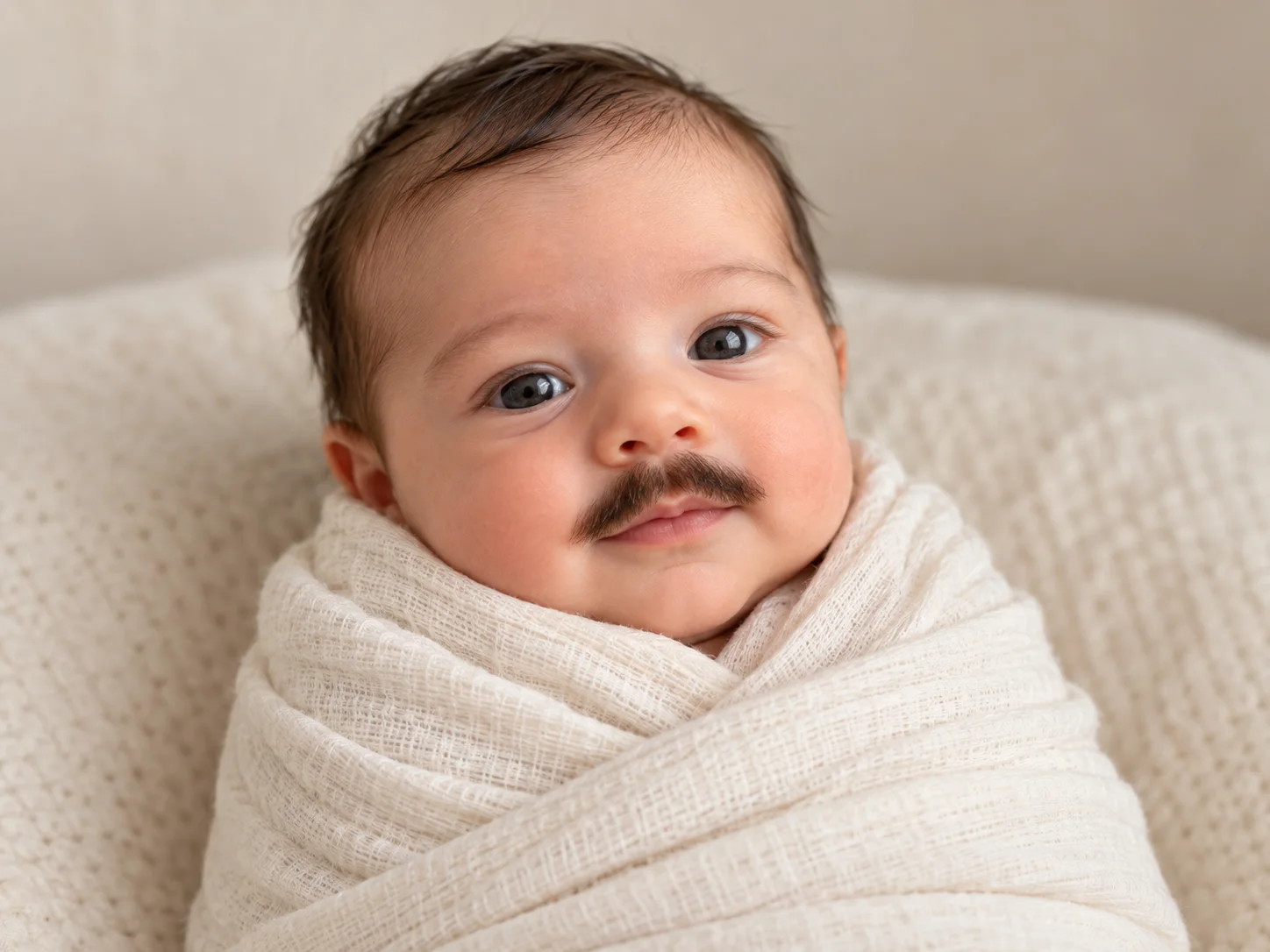
Close portrait of a swaddled fictional baby with a neat mustache and an unobstructed mouth
A tiny mustache and a curious face give the Baby Born With a Mustache character its playful personality.

Give the character one small movement

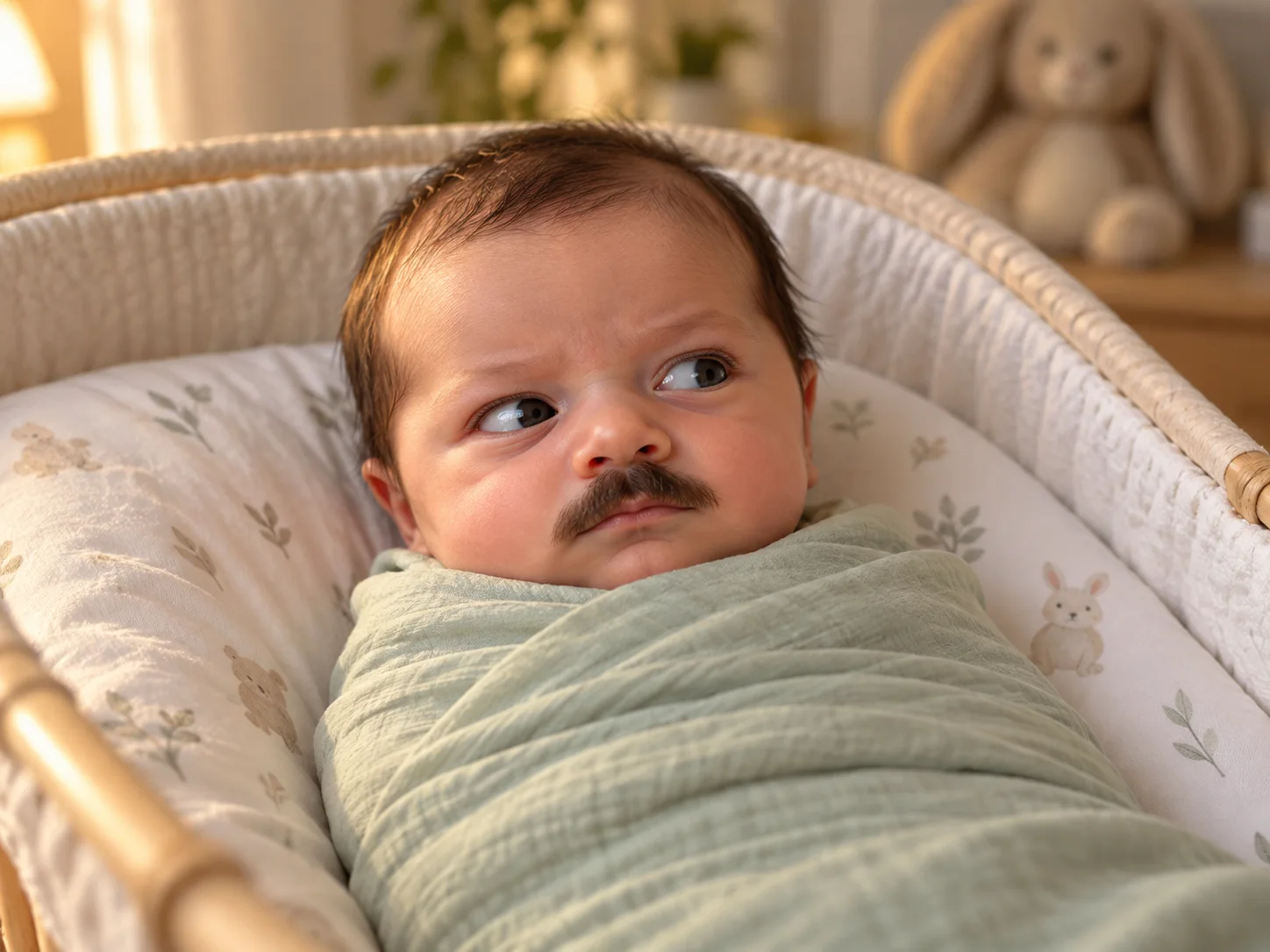
The Baby Born With a Mustache preset gives the character a small blink or gentle turn rather than several actions at once. A quiet camera lets the expression remain the main event. If the baby turns too far, the model must invent more of the unseen face and the hair may change shape. Keep movement modest, then watch the upper lip throughout the shot instead of approving only the opening frame.

A fictional mustached baby in a sage wrap looks gently to one side in a bassinet
A gentle sideways glance adds a playful reaction to a cozy nursery scene.

Finish with a readable reaction

A calm, slightly serious look can make the Baby Born With a Mustache idea feel like a complete reaction. Leave a short settled moment at the end so the audience has time to read it. Add your final caption in an editor after downloading. A plain background and comfortable space around the head make that later text easier to place without covering the eyes or the mustache.

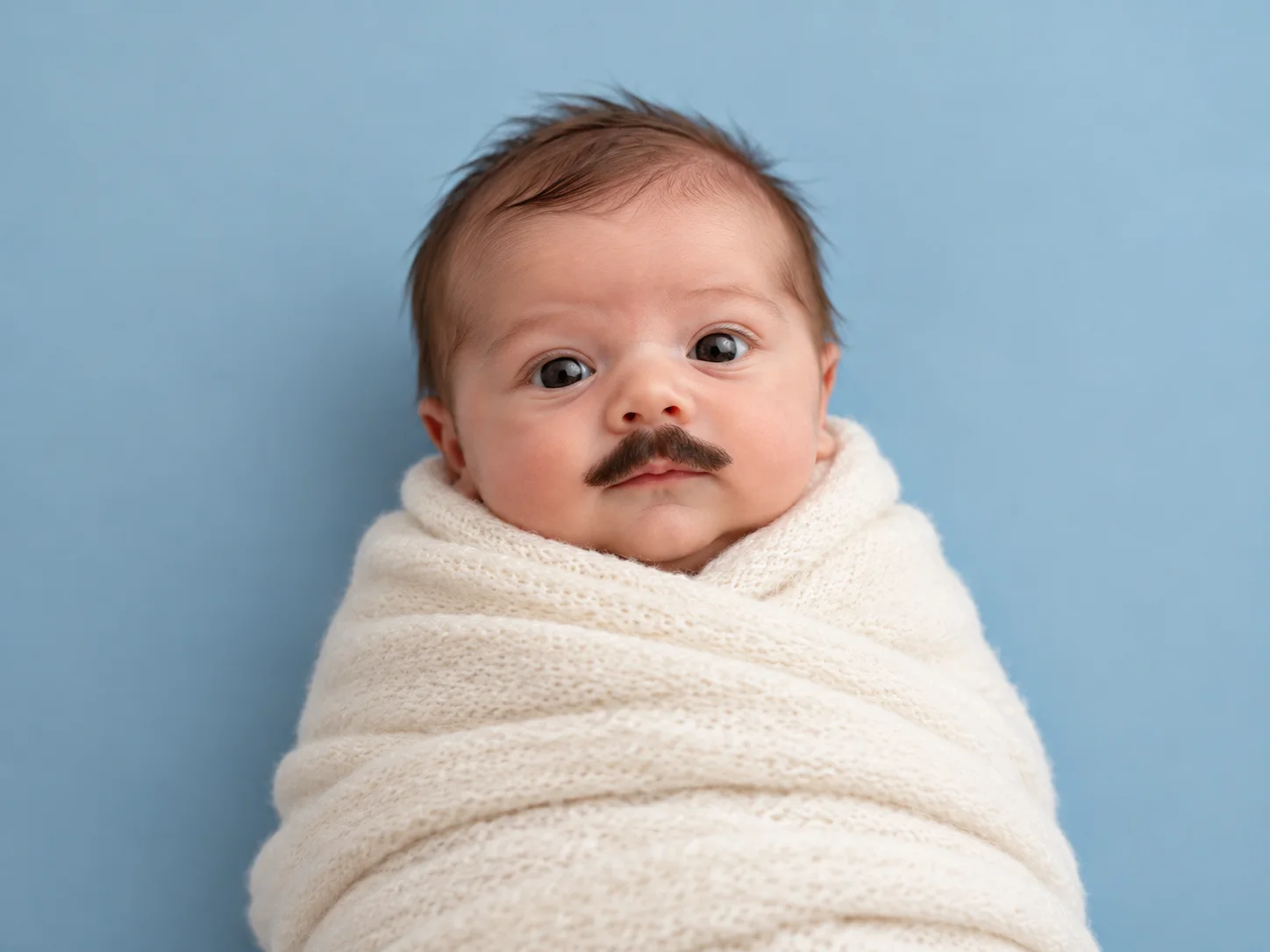
A calmly expressive fictional baby with a small mustache against a simple blue background
A calm, serious expression makes this mustached baby a playful character for a reaction video.

How to create a Baby Born With a Mustache video

  1. 01

    Choose one clear image

    Upload a JPEG, PNG, or WebP within the displayed 10 MB limit. A fictional baby portrait is a convenient starting point. If you use a family photograph, choose one you are allowed to edit and share. Keep one face large enough to see the mouth and cheeks clearly; a crowded scene makes the intended subject harder to follow.

  2. 02

    Check the prepared effect

    The Baby Born With a Mustache preset already defines the small mustache, comfortable nursery scene, and restrained movement. There is no prompt to type or edit. Check that the reference shows one clear face with an unobstructed mouth, then choose your output settings. Use another suitable portrait if you want to try a different character or starting expression.

  3. 03

    Choose the video settings

    Start with 10 seconds, 480p, and landscape 16:9. Whole-second durations from 10 to 15 and resolutions of 768p or 1080p are also available. Select a different listed ratio if you need a square or vertical composition. Sign in and review the current credit estimate before generating; duration and resolution can affect the amount required.

  4. 04

    Watch, download, and finish

    Review the entire Baby Born With a Mustache clip. Check the eyes, mouth, hair edges, blanket, and head movement. Download a take with a coherent expression, then trim or add captions in your preferred editor. Keep the finished post clearly framed as an AI joke, and preview it at the size your audience will actually see.

AI Video Generators for Your Next Project

Turn a photo into a short video for a personal story, a social post, or a playful idea.

  • Outstanding Tiny Desk AI

  • Stones to Castle AI

  • Skull Cap Trend AI

Choose a useful Baby Born With a Mustache reference

A strong reference supplies the information the video needs. Favor a clear face, even light, a simple background, and a pose that leaves the upper lip visible. Sharp details are more useful than elaborate decoration.

A generated portrait lets you explore Baby Born With a Mustache without relying on a real family photograph. You can prepare a fictional character in the image generator, download the result, and use that image here. Keep the baby comfortably dressed or wrapped. Give the face a natural resting expression so the video has a clear starting identity to interpret.

If you start with your own childhood photograph, choose the cleanest available scan. Remove large borders before uploading, and avoid a screenshot containing interface controls or other unrelated pictures. A small image with heavy compression gives the model less detail to work from. Enlarging a blurry face does not recover missing features, so a different source may be the better next attempt.

Choose the final shape with the face in mind. Vertical compositions give a tall blanket or bassinet more room, while square framing can emphasize a reaction. Leave space around the head rather than planning a very tight crop afterward. For Baby Born With a Mustache, the small detail above the lip should remain visible even when the finished clip is viewed on a phone.

Understand the Baby Born With a Mustache preset

The prepared effect keeps the creative setup simple: one recognizable baby, one tidy mustache, and gentle movement. Your reference provides the character while the built-in instructions supply the scene. No written prompt is required or accepted by this tool.

The Baby Born With a Mustache preset favors a small dark mustache, warm daylight, and a calm blink or gentle head turn while the body remains comfortably at rest. That gives the model a clear feature and restrained movement to combine. A soft nursery setting supports the character without competing with the expression or requiring complicated background action. The resulting scene still needs a full visual review.

For a different starting expression, choose another suitable reference rather than trying to describe an adjustment. A curious face and a patient sideways gaze can give the same basic joke different character. Keep the upper lip visible and the baby proportions natural. The preset does not offer a mustache selector, expression slider, or custom background control; generated hair and facial movement can still vary between attempts.

When a Baby Born With a Mustache attempt looks too busy, try a cleaner reference with a quieter background and fewer objects near the face. Compare the new take at the same duration and aspect ratio so framing changes do not distract from the character. The built-in direction remains consistent across requests. Use your final editor for captions, pacing, or a carefully selected still moment from the completed clip.

Review your Baby Born With a Mustache clip before sharing

Inspect moving details as carefully as the still image. A convincing opening does not guarantee that the hair shape or face will remain coherent for the full duration.

Watch the upper lip during each turn. Look for hair sliding onto the cheek, an edge that disappears, or a mouth that changes shape unexpectedly. Check that the baby remains the same character and that the blanket does not merge into the chin. If a detail drifts, try a clearer reference with a simpler pose rather than hiding the problem behind fast cuts.

The Baby Born With a Mustache direction requests quiet room ambience without speech or a recognizable song. Listen to the output and mute or replace the sound during your final edit if it distracts from the joke. Captions, music, and precise loop trimming are finishing choices outside this generator. Review the start and end together before calling a clip seamless.

Add a short caption that makes the fictional setup obvious. A playful everyday reaction suits the character better than presenting the footage as evidence of a real birth. Keep personal details out of the frame when using family material. Save the version that reads clearly with the sound off as well as with your chosen audio.

Baby Born With a Mustache questions

No. You can use an original AI-created baby portrait as your reference. The Baby Born With a Mustache effect is a fictional creative treatment, so a real newborn is not required.

This tool accepts one reference image. It generates a new clip rather than editing an existing movie or applying a live face-tracking overlay.

There is no custom prompt or mustache selector. The built-in preset adds a small dark mustache. Its exact shape and frame-to-frame consistency can vary, so inspect the full clip before keeping it.

Baby Born With a Mustache starts at 10 seconds, 480p, and 16:9. Choose 10–15 whole seconds, another available resolution, or a different supported aspect ratio before submitting.

Generation uses credits. Sign in to see your balance and the current estimate. Available free credits may cover a request; the tool does not provide unlimited free video generation.

No. The page images are original AI-generated concepts showing the intended visual direction. Review your own moving output before deciding whether to download or share it.

Create your Baby Born With a Mustache moment

Pick a clear reference, keep the expression simple, and let one unexpected detail carry the joke. Make a short clip, inspect the movement, and finish it with your own caption.

Upload an image and start
Image to Image AI logoImage to Image AI

A fresh take on your image. Explore new styles and scenes with AI.

Customer supportsupport@imgtoimageai.com

Tools

  • Remove Glare from Glasses
  • Remove Glare from Photo
  • Photo to Line Art
  • Image Upscaler
  • Realistic Selfie Generator
  • Christmas Photobooth
  • AI 3D Figure Generator
  • Selfie With Santa
  • Christmas Dance Trend
  • Motorcycle AI
  • AI Photo Booth
  • Photo to Sticker
  • QR Code Enhancer
  • AI Long Hair Filter
  • Bicep Heart Trend AI
  • Happy Birthday GIF with Name
  • Apartment Dance
  • AI GIF Generator
  • Executive Portrait Maker
  • AI Trouble Maker Video

Learn more

  • Tools
  • Blog
  • Pricing

Legal

  • Privacy Policy
  • Terms of Service
  • Refund Policy
  • Contact

© 2026 Image to Image AI