




Image to Image AI logoImage to Image AI
  • Home
  • AI Image Generator
  • AI Video Generator
  • Tools
  • Nano Banana 2.1
  • Flux 3 Klein
  • Seedream 5.0 Pro
  • Seedream 5.5
  • GPT Image 2.5
  • GPT Image 2.6
  • MiniMax H3 Image
  • Kling 4.0
  • Grok Imagine Video 1.5
  • MiniMax H3 Max
  • Seedance 2.5
More
  • Blog
  • Pricing

Guest

Save your creations

Credits—
  1. Home
  2. /
  3. Image

Motorcycle AI for your next custom bike idea

Turn the bike in your imagination into a picture you can explore. Motorcycle AI creates visual concepts from a written brief or an optional reference photo, helping you compare paint, bodywork, and settings before choosing a direction. Describe a vintage cafe racer, a sharp sports bike, or a quiet electric concept. Then generate an image, study the details, and keep the version that best expresses your idea.

Create my motorcycle concept
Motorcycle AI for your next custom bike idea
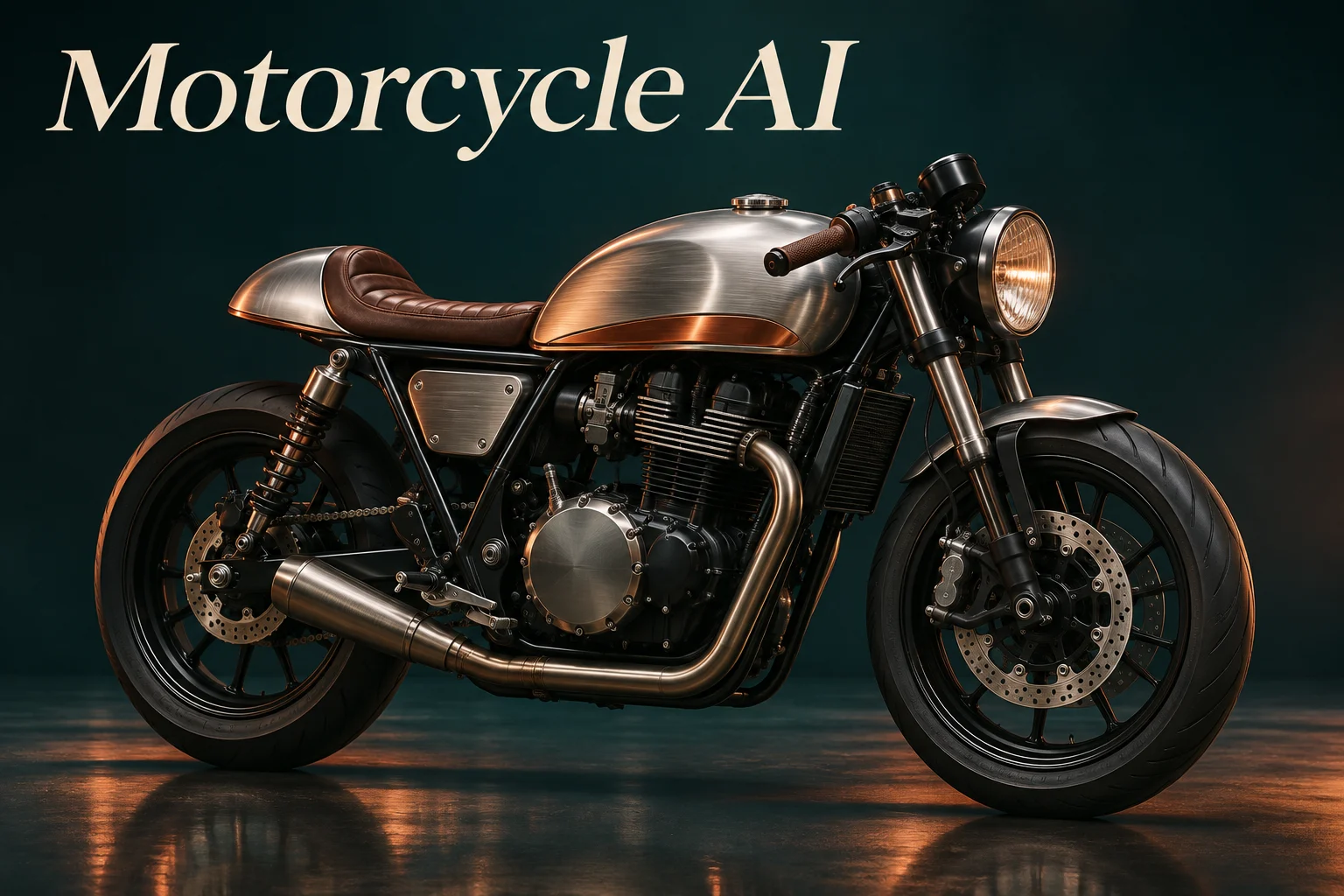
AI-generated concept artwork; examples illustrate visual directions rather than verified builds.
10
Checking your sign-in status…
Strictly prohibits adult / NSFW content

AI Image Generators to Explore

Try a different look for your photos with generators for portraits, artistic styles, and creative edits.

  • Photo to Line Art

  • Remove Glare from Photo

  • Remove Glare from Glasses

  • Realistic Selfie Generator

  • Image Upscaler

  • Selfie With Santa

  • AI 3D Figure Generator

  • Photo to Sticker

  • AI Photo Booth

  • AI Long Hair Filter

  • Happy Birthday GIF with Name

  • AI GIF Generator

  • Executive Portrait Maker

  • No Beard Filter

  • AI Beard Generator

  • 80s AI Photo Trend

  • AI Pregnant Filter

  • Pet Portrait AI

  • Photo to Watercolor

  • Photo to Coloring Page

Page 1 of 3

What can Motorcycle AI help you create?

Motorcycle AI is a creative image tool for exploring how a motorcycle could look. It gives riders, illustrators, and content creators a way to communicate an idea without starting with a blank drawing. A short description establishes the vehicle, while an uploaded photograph can provide a recognizable starting point for a restyling concept.

Use this AI motorcycle generator to try a different tank finish, imagine a new fairing silhouette, or place a bike in a more atmospheric scene. You can begin with text alone when the design is original. If you already have a motorcycle in mind, a clear reference helps show which shapes and details matter to you. Use it as a visual bike modifier to compare styling ideas before discussing them with a custom shop.

The output is a generated picture, so use it for visual exploration and discussion. Motorcycle AI does not produce CAD files, fitment measurements, or installation instructions. An appealing image can help explain a direction to a designer or workshop, but actual parts, paint samples, and engineering decisions need their own checks.

How to use Motorcycle AI

Start with one clear idea, choose a useful viewing angle, and refine the result in small steps. Motorcycle AI works best when your brief makes the important choices easy to understand.

  1. 01

    Describe the bike you want to see

    Enter a motorcycle type, a main color, and the overall mood. Add one reference photo if you want to reinterpret an existing bike. For a focused edit, state what should stay the same, such as the frame, seat, wheels, or camera position. Include the complete vehicle in your upload whenever possible.

  2. 02

    Choose your settings and generate

    Select an available aspect ratio and resolution, sign in, and review the displayed credit cost. A landscape frame gives a side profile room to breathe; a square image can work well for a social post. Start the generation after checking that your description and reference point toward the same result.

  3. 03

    Review the details and download

    Compare the generated concept with your brief. Look at the silhouette first, then inspect wheels, forks, lighting, and small components. Save the result you prefer. If one element needs work, change that part of the description and generate another version rather than replacing every instruction at once.

AI Image Generators for Your Next Project

Bring your next photo project to life with creative effects, painted portraits, and printable coloring pages.

  • Photo to Line Art

  • Remove Glare from Photo

  • Remove Glare from Glasses

  • 80s AI Photo Trend

  • AI Pregnant Filter

  • Pet Portrait AI

  • AI Beard Generator

Explore three directions with Motorcycle AI

Move from a simple color question to an original concept or a finished scene. These illustrated examples show different ways to write a useful brief and evaluate what comes back.

Preview paint and finish combinations

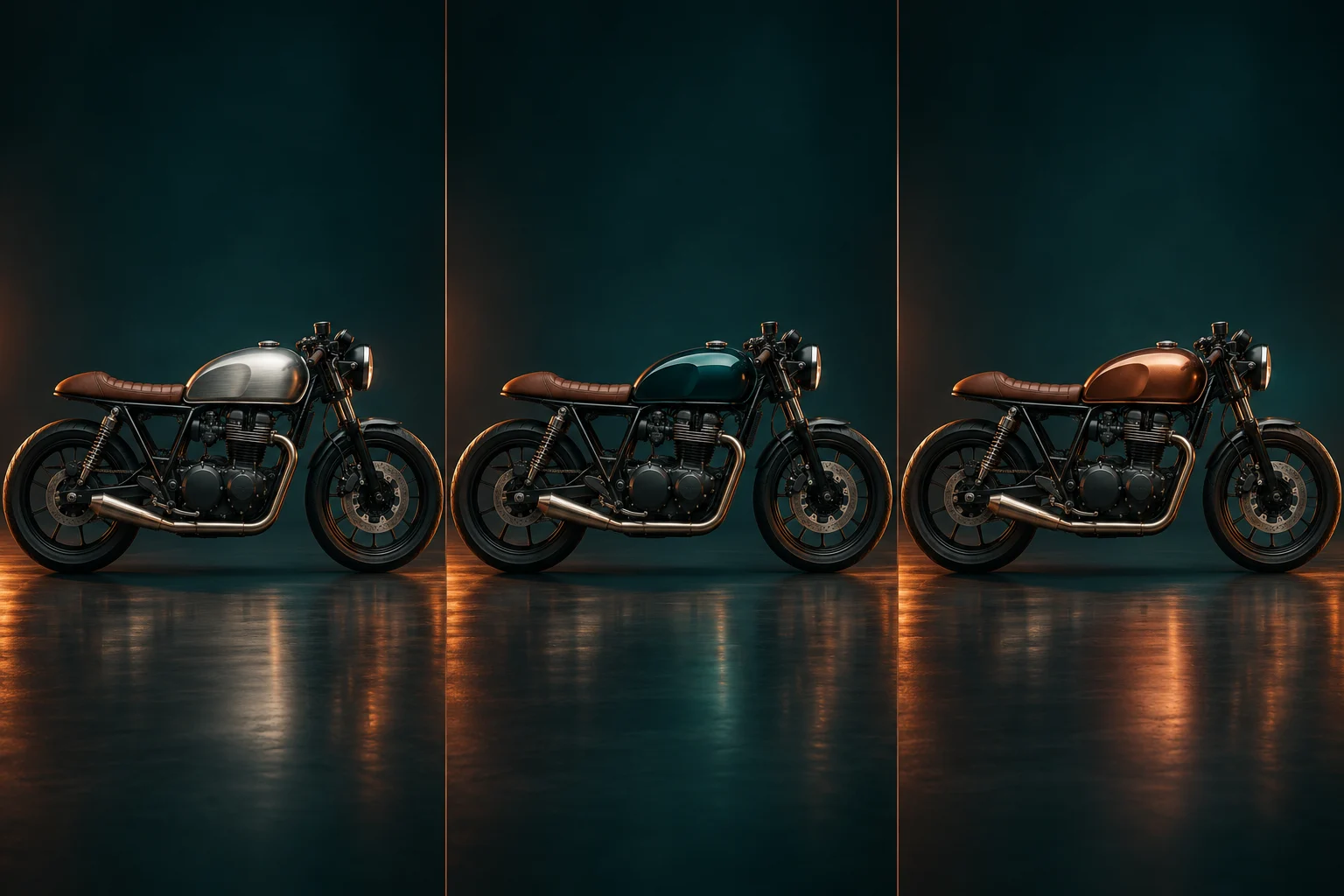
A dark tank, a copper accent, or a brushed metal finish can change the character of a familiar motorcycle. Motorcycle AI helps you picture those choices together. Upload a clear bike photo and describe the surfaces to change, keeping the rest of the request stable so you can compare the overall balance.

For an AI modified motorcycle concept, separate the visible changes from the parts you want retained. You might request a deep teal tank and a brown seat while asking to keep the wheels and frame. Generate each variation separately, then compare the saved images side by side in your own workspace. Screen colors and generated reflections are visual references, so choose physical paint from real samples before committing.

Example prompt

Use the reference bike. Change the tank to deep teal with a narrow copper accent. Keep the frame, wheels, seat shape, and side-view composition. Soft studio lighting, complete motorcycle visible.
Preview paint and finish combinations

Shape an original motorcycle concept

Explore a new silhouette with Motorcycle AI when you want more than a repaint. Describe the category first: cafe racer, cruiser, sports bike, scrambler, or electric motorcycle. Then add a few defining visual features. This gives the image a clearer direction than combining several unrelated styles in a single request.

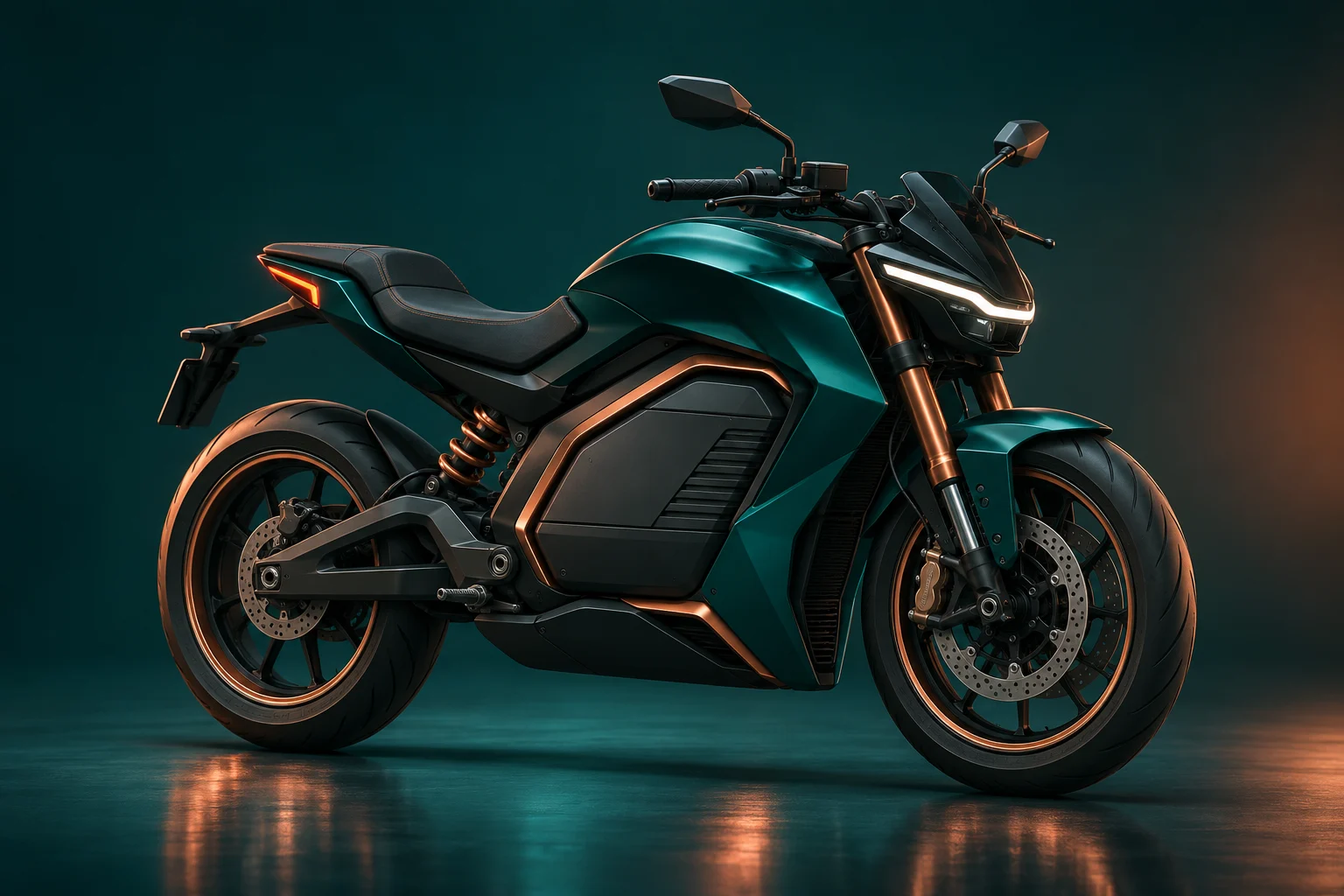
An AI motorcycle design generator can help you compare the visual language of compact bodywork, an exposed frame, or a sculpted battery enclosure. Think about proportions, materials, and the relationship between the seat and tank. Keep requests about appearance specific, and treat unfamiliar mechanical details as concept art. Once you find a promising direction, share the picture as a starting point for further design work.

Example prompt

An original electric motorcycle with sculpted teal bodywork, compact battery housing, copper trim, and two aligned wheels. Three-quarter studio view, realistic materials, no rider, no branding.

Shape an original motorcycle concept

Give your bike a setting and a mood

The same design can feel entirely different under showroom lighting or on a quiet evening street. Motorcycle AI lets you describe the environment, camera angle, and light alongside the bike. Use a simple setting when the design needs close inspection, or a more atmospheric background when the image is intended as artwork.

For posters and social graphics, leave room where your own headline will go. Ask for a full side profile to emphasize shape, or a restrained three-quarter view to show volume. Keep the motorcycle as the main subject. Check contact shadows and reflections in the result, especially on wet roads, so the bike feels grounded rather than pasted into the scene.

Example prompt

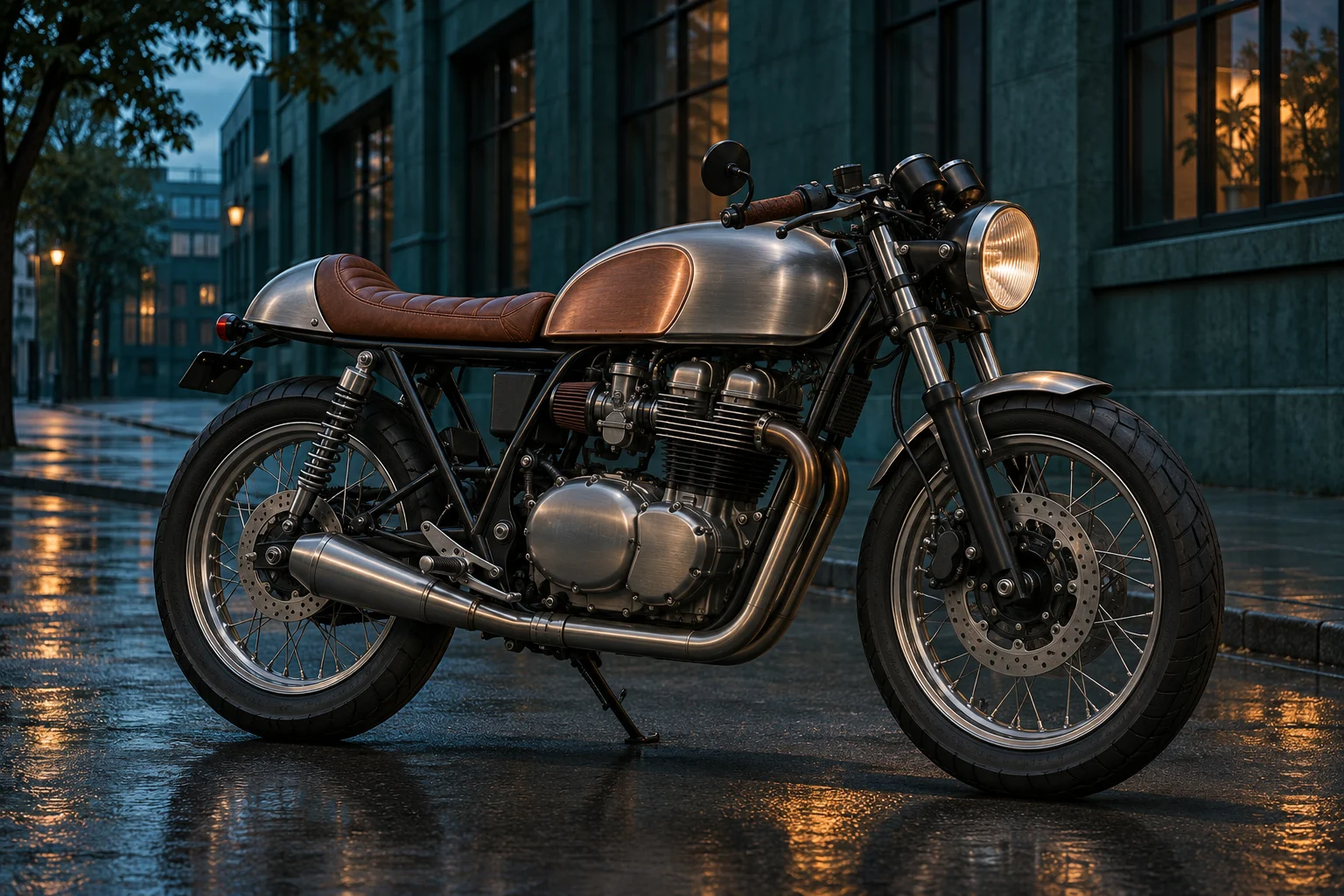
A brushed-metal cafe racer parked on a quiet wet city street at blue hour. Warm window reflections, deep teal surroundings, full motorcycle in view, realistic contact shadows, no people or text.

Give your bike a setting and a mood

Where Motorcycle AI fits your creative work

A useful concept makes the next conversation easier. Motorcycle AI can support personal projects, visual planning, and original artwork when you keep the purpose of each image clear.

For riders and enthusiasts

Explain a personal customization idea

Bring a visual reference to a discussion about colors, trim, or styling. Show the original photo beside your favorite Motorcycle AI result and explain which changes you like. A workshop can then assess available materials and practical options without treating every generated component as a real product.
For illustrators and designers

Build a focused design mood board

Use several separately generated images to explore a consistent theme. Keep the vehicle category and viewpoint similar while changing one major visual element. A motorcycle AI generator is useful for early exploration, helping you choose which proportions, textures, and atmosphere deserve more detailed drawing or modeling.
For creators and communities

Create motorcycle-themed visual content

Make an original concept for a poster draft, a social graphic, or a story about future mobility. Choose an image with a strong silhouette that stays readable on a phone. When sharing an invented bike, describe it as a concept so viewers understand what the artwork represents.

Write a clearer Motorcycle AI prompt

Build the description in a useful order: motorcycle category, visible changes, materials, viewpoint, and setting. A sentence such as “a silver cafe racer with a brown leather seat in a full side view” creates a clearer starting point than a long list of unrelated visual adjectives.

When editing a photo with Motorcycle AI, distinguish the change from the details to preserve. “Repaint the tank copper; keep the black frame and wheels” is easier to evaluate than “make everything better.” If the reference is dark or tightly cropped, start with another photograph that shows the important components clearly.

For realistic imagery, describe light and materials concretely. Satin paint, brushed aluminum, worn leather, and soft window light each suggest something visible. Avoid asking for several contradictory camera angles in one image. If you need both a side view and a front view, create separate results and compare their consistency yourself.

Review each Motorcycle AI result at a comfortable size. Count wheels, follow the fork to the front axle, and inspect the transitions between body panels. Keep the strongest composition, then revise only the weak area in your next request. A higher resolution gives you more pixels to inspect; it does not prove mechanical accuracy.

Motorcycle AI questions

Find practical answers about inputs, customization, downloads, and how to use a generated concept in your next creative project.

Yes. Enter a written design brief to create an original motorcycle concept. A reference photo is optional and helps when you want to start from an existing bike. In either case, include the vehicle category, main materials, and viewing angle so the request has a clear visual direction.

Yes. Upload a bike image and describe the visible changes you want, such as tank color, seat styling, or bodywork. Motorcycle AI can reinterpret those details, although it may also alter small components. Compare the result with your source before using it to explain a modification idea.

Try sports bikes, cruisers, cafe racers, scramblers, vintage motorcycles, or electric concepts. Describe the features that define your preferred style rather than relying on a label alone. Motorcycle AI gives you room to explore familiar categories and original combinations without needing a finished sketch.

No. Motorcycle AI produces images for visual planning and creative work. It does not verify dimensions, handling, structural strength, or part compatibility. Use the picture to communicate an aesthetic direction, then work from actual measurements and qualified assessment for any physical project.

Generation requires sign-in and credits. You can generate without a payment when your available free credits cover the displayed cost. Check your balance and the selected settings before starting. The page examples can help you plan a useful first request, and each new generation consumes credits.

Yes. Use the download action after a successful generation to save your image. Keep the prompt and any original reference if you want to develop the idea later. Motorcycle AI returns an image rather than a layered design file, a three-dimensional model, or an editable parts list.

Bring your next Motorcycle AI concept into view

Start with a bike you know or a design you have yet to see. Describe the color, shape, and setting, then create a picture that makes the idea easier to explore. Save your favorite direction and use it to guide your next sketch, mood board, or design conversation.

Try Motorcycle AI
Image to Image AI logoImage to Image AI

A fresh take on your image. Explore new styles and scenes with AI.

Customer supportsupport@imgtoimageai.com

Tools

  • Remove Glare from Glasses
  • Remove Glare from Photo
  • Photo to Line Art
  • Image Upscaler
  • Realistic Selfie Generator
  • Christmas Photobooth
  • AI 3D Figure Generator
  • Selfie With Santa
  • Christmas Dance Trend
  • Motorcycle AI
  • AI Photo Booth
  • Photo to Sticker
  • QR Code Enhancer
  • AI Long Hair Filter
  • Bicep Heart Trend AI
  • Happy Birthday GIF with Name
  • Apartment Dance
  • AI GIF Generator
  • Executive Portrait Maker
  • AI Trouble Maker Video

Learn more

  • Tools
  • Blog
  • Pricing

Legal

  • Privacy Policy
  • Terms of Service
  • Refund Policy
  • Contact

© 2026 Image to Image AI