Image to Image AI logoImage to Image AI
  • Home
  • AI Image Generator
  • AI Video Generator
  • Tools
  • Nano Banana 2.1
  • Flux 3 Klein
  • Seedream 5.0 Pro
  • Seedream 5.5
  • GPT Image 2.5
  • GPT Image 2.6
  • MiniMax H3 Image
  • Kling 4.0
  • Grok Imagine Video 1.5
  • MiniMax H3 Max
  • Seedance 2.5
More
  • Blog
  • Pricing

Guest

Save your creations

Credits—
  1. Home
  2. /
  3. Image

AI Beard Generator

Try a fuller look on a photo you already have with the AI Beard Generator. Upload one clear portrait and create a neatly groomed full beard with a connected moustache, guided by the person’s visible hair color and facial shape. The prepared direction keeps the edit focused on facial hair, so you can compare the result with the original. No prompt writing or live camera is needed.

Upload my photo
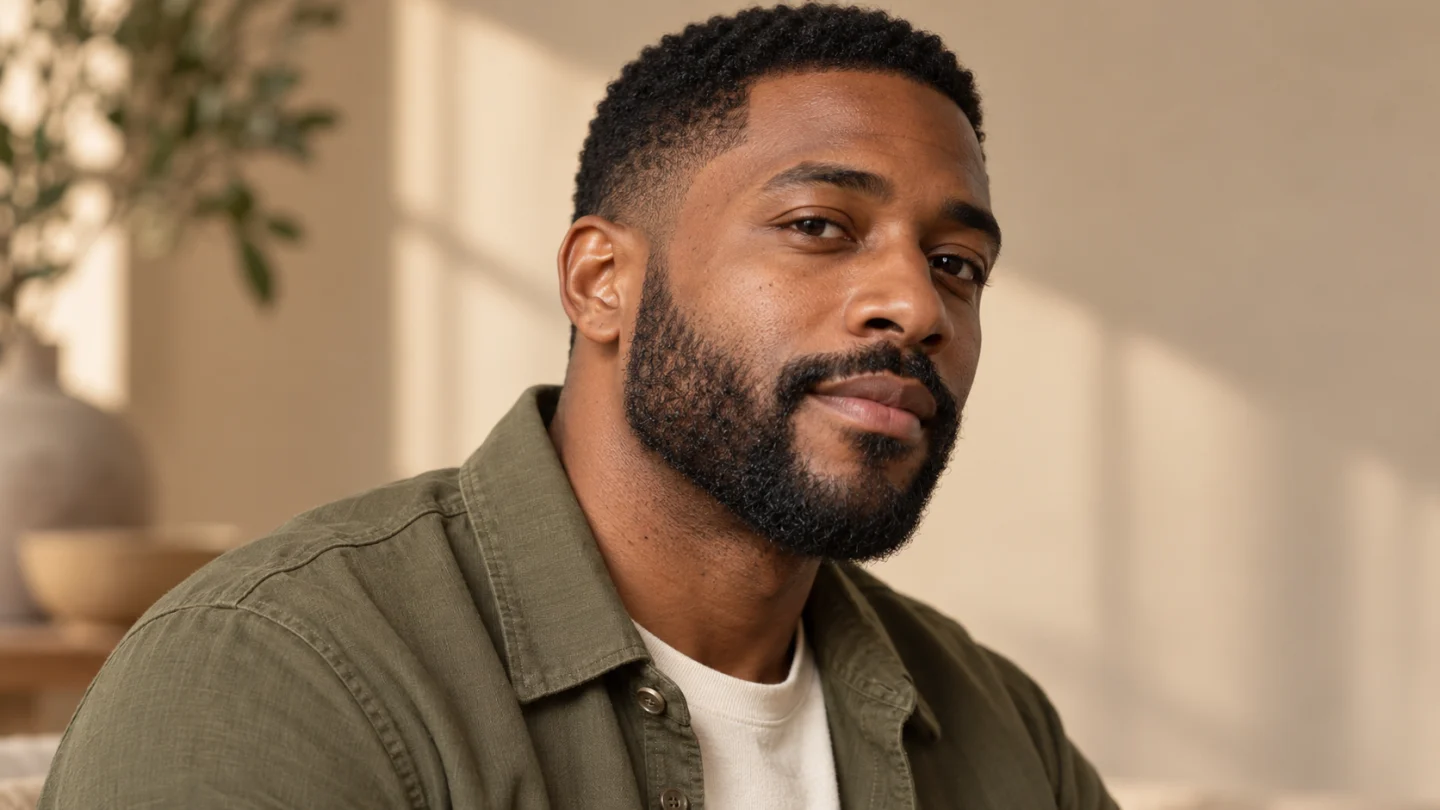
An AI Beard Generator comparison shows a neat full beard while keeping the portrait framing consistent.

Reference image

Required · 1 image
10
Checking your sign-in status…
Strictly prohibits adult / NSFW content

AI Image Generators to Explore

Try a different look for your photos with generators for portraits, artistic styles, and creative edits.

  • Photo to Line Art

  • Remove Glare from Photo

  • Remove Glare from Glasses

  • Realistic Selfie Generator

  • Image Upscaler

  • Selfie With Santa

  • AI 3D Figure Generator

  • Motorcycle AI

  • Photo to Sticker

  • AI Photo Booth

  • AI Long Hair Filter

  • Happy Birthday GIF with Name

  • AI GIF Generator

  • Executive Portrait Maker

  • No Beard Filter

  • 80s AI Photo Trend

  • AI Pregnant Filter

  • Pet Portrait AI

  • Photo to Watercolor

  • Photo to Coloring Page

Page 1 of 3

What is AI Beard Generator?

An AI Beard Generator adds plausible facial hair to an existing portrait. Instead of placing a flat sticker over the chin, it asks for strands, density, cheek edges, and shadows that follow the face. The result can help you imagine how a beard might change the balance of a familiar photograph. Your eyes, hairstyle, pose, clothing, and surrounding light should still feel connected to the source.

This AI Beard Generator is configured for one specific direction: a natural, neatly trimmed full beard with a connected moustache. It does not offer a catalogue of goatees, stubble lengths, or custom barber instructions. The available controls concern output settings. Your reference image supplies the person and visual context, while the built-in direction supplies the beard. That keeps the workflow simple and makes the default result clear before you start.

A photograph can suggest how a style looks, but an AI Beard Generator cannot predict your actual growth pattern, density, or the time needed to grow facial hair. The generated beard may be fuller or more even than a real beard would be. Treat it as a styling concept. If you are discussing a change with a barber, show the preview beside a current unedited portrait so the difference between the idea and your starting point remains visible.

The AI Beard Generator works best when the lower face is already easy to read. A front-facing or slight three-quarter portrait with an unobstructed mouth and jaw gives the edit useful structure. A clean-shaven face is a practical starting point, though a light existing beard can also guide the person’s appearance. Dense facial hair in the source can make it harder to judge which details the new version has changed.

What makes AI Beard Generator work

Look for a clear subject, a coherent setting, and a result that reads at normal viewing size. These scenes show the visual details to consider when choosing your reference and reviewing your result.

A full beard shaped around the face

The AI Beard Generator asks for a beard that follows the chin and jaw instead of hanging like a separate object. The cheeks should connect naturally to the sideburns, and the moustache should sit around the upper lip without changing the smile. Compare both images at the same scale and look beyond the hair. If the jaw becomes narrower, the nose changes, or the eyes shift, the portrait is less useful as a style preview. The illustrated comparison keeps the person and lighting aligned so the change in facial hair is easy to see.
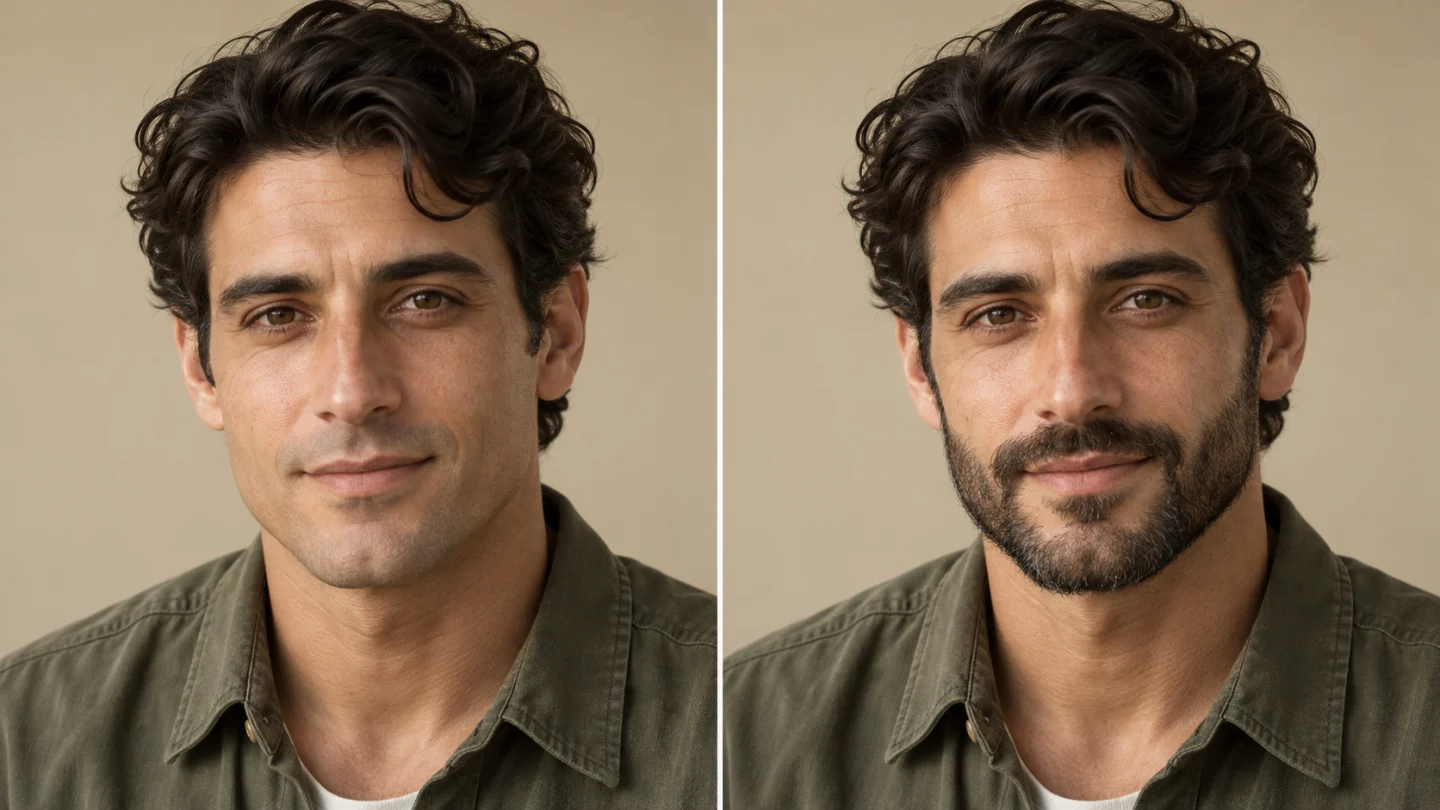
An AI Beard Generator comparison shows a neat full beard while keeping the portrait framing consistent.

Hair color and texture that belong together

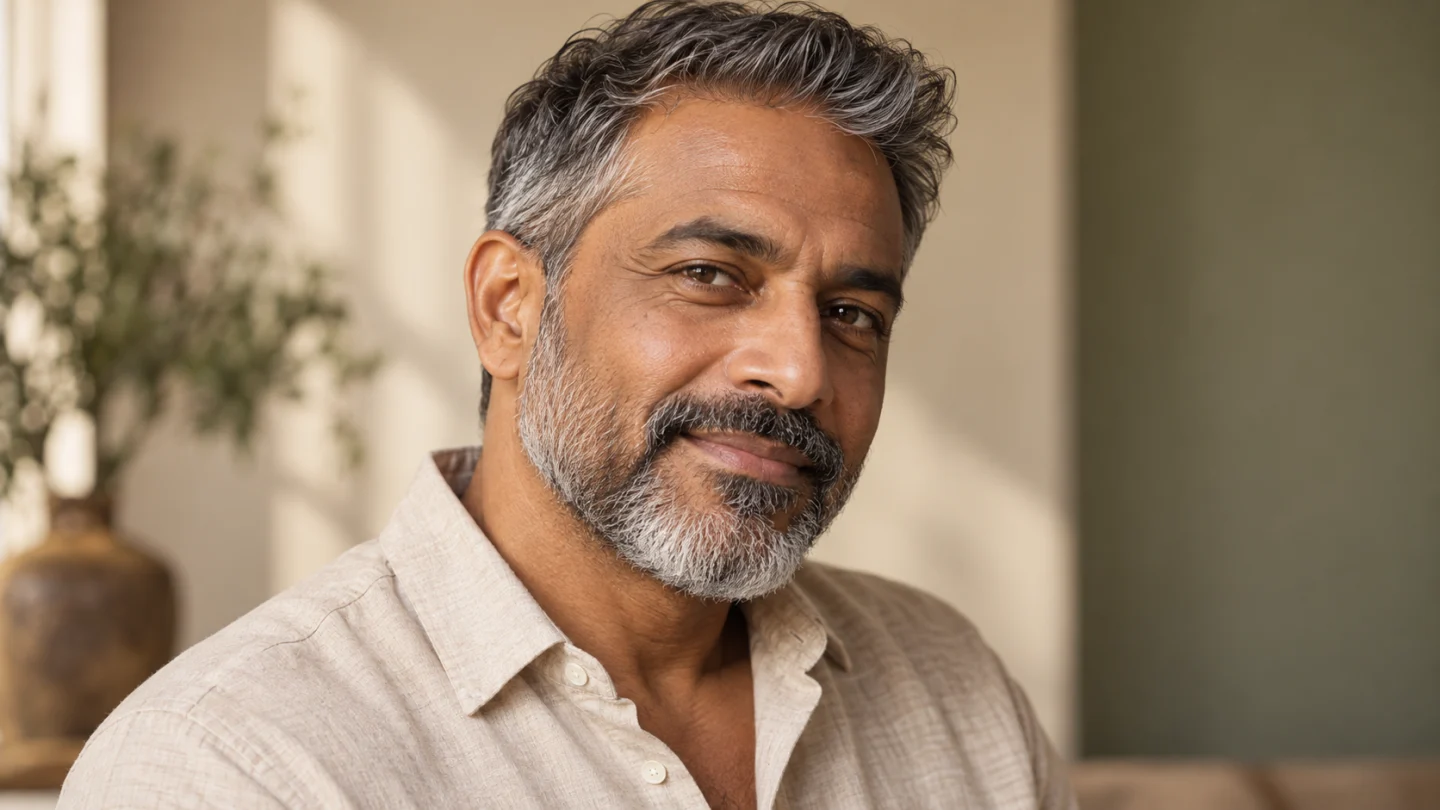
A believable AI Beard Generator result does not need a perfectly uniform beard. Individual strands, soft edges, and small changes in tone help the facial hair fit the portrait. The prepared edit uses the visible hair color as guidance, including a natural mixture of darker and gray strands when appropriate. Check the moustache around the lip and the shadow under the jaw. A pasted-on dark patch, an overly sharp painted cheek line, or a beard floating away from the face is a reason to choose another result or improve the source photo.

Salt-and-pepper strands and a natural cheek line give the AI Beard Generator portrait a cohesive finish.

Give the neckline a natural finish

The lower edge of an AI Beard Generator portrait deserves the same attention as the cheeks. A neat full beard should follow the chin, connect to the sideburns, and end with a plausible transition into the neck. Leave enough space below the jaw to inspect that outline. In a three-quarter view, compare the visible beard depth with the person’s facial proportions and the direction of light. Individual strands and a soft shadow can make the finish feel coherent, while a sharply pasted border or an enlarged chin makes the style harder to assess.

A natural neckline and connected sideburns give the AI Beard Generator beard a balanced outline.

How to use AI Beard Generator

  1. 01

    Upload one clear photo

    Start your AI Beard Generator project with one JPEG, PNG, or WebP image. The upload limit is 10 MB per image in the interface. Use a sharp reference with one clearly visible adult and balanced lighting. Choose the photograph that already has the framing and expression you want to carry into the result. A clean source gives the prepared effect more useful detail than a dark screenshot or a heavily filtered selfie.

  2. 02

    Choose your output settings

    Select the aspect ratio before generating with AI Beard Generator. A portrait frame usually gives one person comfortable space on a phone, while a wider frame includes more of the surroundings. Review the displayed credit estimate after changing settings. The default is a 1K portrait in 3:4. Other available ratios and resolution settings are shown in the generator; choose them to suit the final composition.

  3. 03

    Generate with the prepared effect

    The creative direction for AI Beard Generator is already built in. There is no prompt field, template text to paste, or separate performance video to upload. Sign in, check the reference image and selected settings, then submit the request. Watch the generation status and review the completed result before deciding whether another attempt would help. Each submission uses the current estimate shown by the generator.

  4. 04

    Review and download your result

    Compare the completed AI Beard Generator result with your original photo. Zoom in around the mouth, cheeks, chin, and hairline, then return to normal viewing size to judge the overall portrait. Download the version you prefer. Keep the original file beside the edited image so you can compare both under the same lighting and at the same scale.

AI Image Generators for Your Next Project

Bring your next photo project to life with creative effects, painted portraits, and printable coloring pages.

  • Photo to Line Art

  • Remove Glare from Photo

  • Remove Glare from Glasses

  • 80s AI Photo Trend

  • AI Pregnant Filter

  • Pet Portrait AI

Get more from AI Beard Generator

Prepare your AI Beard Generator reference with even light and a relaxed expression. A slightly open smile can work, but hands, cups, microphones, or high collars covering the chin create extra reconstruction work. Keep the original image’s natural detail rather than applying a strong beauty filter first. The edit needs enough information to add hair while retaining the person’s existing facial structure.

Use the AI Beard Generator default 3:4 frame when you want a straightforward portrait. Include the whole chin and some neck so you can see how the beard ends. A crop that stops at the jaw hides a useful part of the style. If you select a wider ratio, keep the face large enough that individual features remain easy to inspect. Higher resolution adds pixels, but it does not guarantee closer likeness.

Review an AI Beard Generator result at two sizes. At normal viewing distance, ask whether you still recognize the same person and whether the beard fits the overall look. Zoom in afterward to check the moustache, cheek edges, ear transitions, and neckline. A few convincing strands cannot compensate for a changed expression. Keep the source nearby, and judge the complete portrait before deciding that the generated style is the one you want.

When comparing AI Beard Generator attempts, use the same source photo and output ratio. Changing the camera angle or lighting at the same time makes it difficult to tell what the beard contributes. You can save a preferred version to discuss with a barber or add to a personal style board. Exact trimming, beard care, and real growth decisions remain separate from the photo editing workflow on this page.

Ideas for your AI Beard Generator result

Choose an occasion that gives the finished image or video a purpose. Your source photo and the context you add afterward make the same prepared effect feel personal.

Preview before growing

The AI Beard Generator offers a quick visual way to ask whether a full beard suits the portrait you have in mind. It can help you notice the relationship between your hairstyle, glasses, clothing, and lower face. Use it to explore a direction before investing time in real growth. Keep expectations grounded: the image is a styling interpretation and does not establish how dense your own beard can become or how its color will develop.

Bring a concrete idea to a barber

An AI Beard Generator preview can make a style discussion more specific. Show the unedited photograph and the generated version together, then talk about the overall fullness and outline you like. The barber can relate that visual idea to your real facial hair. This page does not supply measured lengths, custom trimming diagrams, or a professional assessment. Its role is to help you express a preference with a recognizable portrait.

Create a character or portrait concept

Use the AI Beard Generator for a personal character study, a costume mood board, or a playful alternative profile image. Start with clothing and lighting that already support the character rather than expecting the beard to transform everything. If you share the result with people who know the subject, keep the generated nature clear. A coherent face and a natural expression usually make the concept more engaging than an oversized beard with distracting visual errors.

AI Beard Generator questions

This AI Beard Generator uses a fixed full-beard direction with a connected moustache. It has no style selector or custom prompt field. Use the general image generator if you need to describe a different facial-hair design.

The AI Beard Generator asks for natural facial hair that fits the visible hair color in your reference, including gray variation where appropriate. It does not provide a manual color picker. Check the result under the same viewing conditions as your original.

No. The AI Beard Generator creates a possible appearance from a photo. It cannot establish your growth pattern, density, or future color. Keep that distinction in mind when using the image to plan a real grooming change.

No. AI Beard Generator uses a fixed creative direction, so you only upload your photo and choose the available output settings. Custom prompt input is disabled. If you want a different creative concept, use the general image generator rather than trying to add instructions through the upload.

The AI Beard Generator generator displays the current credit estimate before submission. The amount can change with the available output settings, so use that estimate when making your choice. This page does not promise a free render, a fixed processing time, or a particular creative result.

Try AI Beard Generator with your own photo

Choose a clear reference and let AI Beard Generator turn it into a focused visual idea. Start with the available defaults, review the face and important details, and download the version you want to keep. A thoughtful source photo and a careful final review give your project a stronger starting point.

Choose a photo and start
Image to Image AI logoImage to Image AI

A fresh take on your image. Explore new styles and scenes with AI.

Customer supportsupport@imgtoimageai.com

Tools

  • Remove Glare from Glasses
  • Remove Glare from Photo
  • Photo to Line Art
  • Image Upscaler
  • Realistic Selfie Generator
  • Christmas Photobooth
  • AI 3D Figure Generator
  • Selfie With Santa
  • Christmas Dance Trend
  • Motorcycle AI
  • AI Photo Booth
  • Photo to Sticker
  • QR Code Enhancer
  • AI Long Hair Filter
  • Bicep Heart Trend AI
  • Happy Birthday GIF with Name
  • Apartment Dance
  • AI GIF Generator
  • Executive Portrait Maker
  • AI Trouble Maker Video

Learn more

  • Tools
  • Blog
  • Pricing

Legal

  • Privacy Policy
  • Terms of Service
  • Refund Policy
  • Contact

© 2026 Image to Image AI