


Image to Image AI logoImage to Image AI
  • Home
  • AI Image Generator
  • AI Video Generator
  • Tools
  • Nano Banana 2.1
  • Flux 3 Klein
  • Seedream 5.0 Pro
  • Seedream 5.5
  • GPT Image 2.5
  • GPT Image 2.6
  • MiniMax H3 Image
  • Kling 4.0
  • Grok Imagine Video 1.5
  • MiniMax H3 Max
  • Seedance 2.5
More
  • Blog
  • Pricing

Guest

Save your creations

Credits—
  1. Home

AI Trouble Maker Video

Bring two familiar faces into one playful performance with AI Trouble Maker Video. Upload a separate portrait for each adult, choose your video settings, and let the prepared direction stage an original partner dance. A shared rhythm, expressive glances, and a simple studio setting make the pairing the focus. You do not need to write instructions or supply a dance clip.

Create my duo video
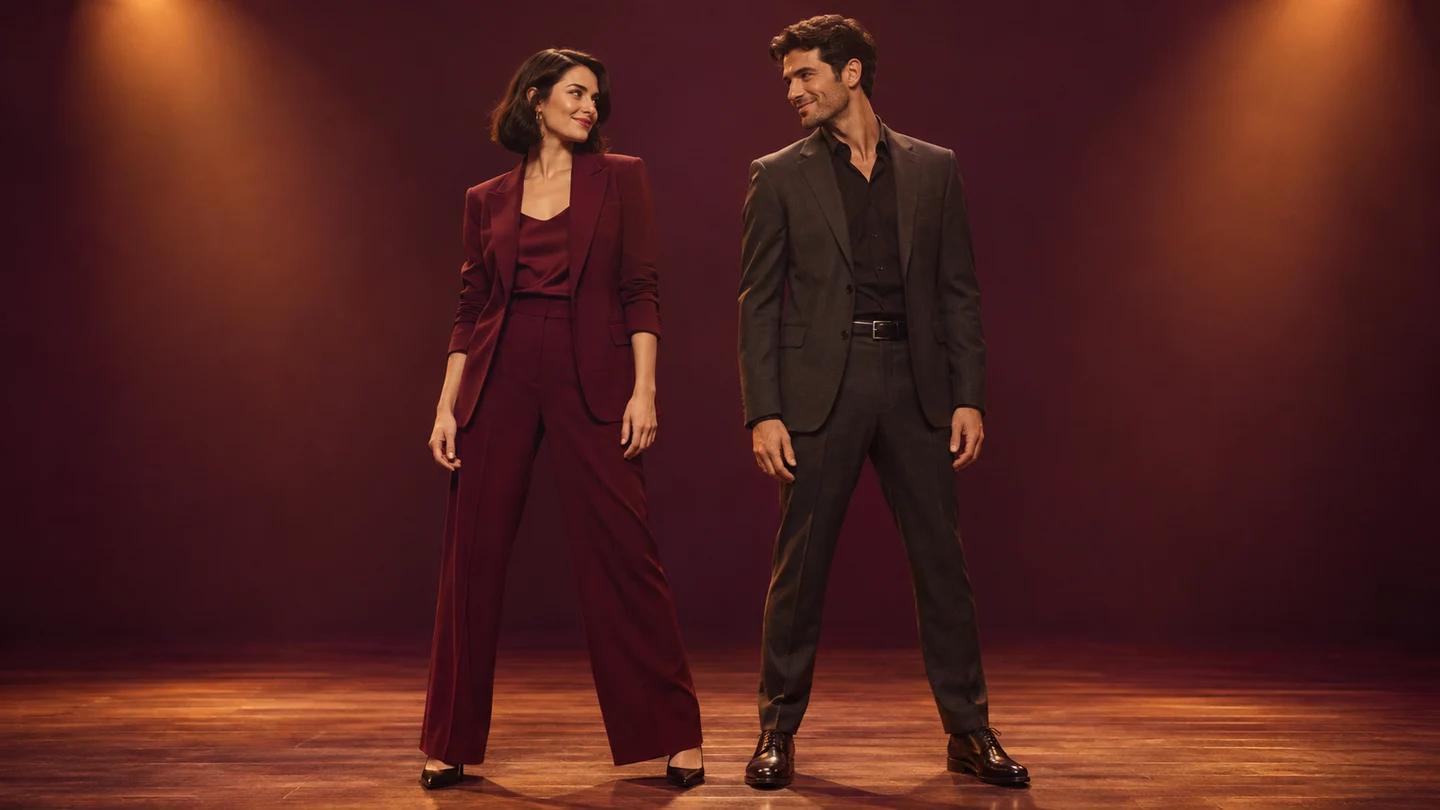
Two dancers begin a coordinated step, with space around each person to keep both faces and outfits readable.

Reference image

Required · 2 images
210
Checking your sign-in status…
Strictly prohibits adult / NSFW content

AI Video Generators to Explore

Find new ways to animate your photos, from dance clips and outfit changes to imaginative scenes.

  • Christmas Dance Trend

  • Christmas Photobooth

  • Bicep Heart Trend AI

  • Apartment Dance

  • Elevator Outfit Change AI

  • Skull Cap Trend AI

  • Stones to Castle AI

  • WYW My Sweetie Dance

  • Black Friday Video Maker

  • La Tormenta De Arena AI Club Spotlight

  • Baby Born with a Mustache

  • Burger Thru Window

  • Outstanding Tiny Desk AI

Page 1 of 2

What is AI Trouble Maker Video?

AI Trouble Maker Video brings the appeal of a partner performance to photographs taken in different places. Instead of arranging a shared shoot, you provide one clear picture of each person. The effect asks for two recognizable performers in the same studio, moving through a compact exchange of steps and reactions. The fun comes from seeing a familiar partnership inhabit a new scene together.

The Trouble Maker name points to a duo dance concept: two performers respond to each other rather than dancing independently. For this AI Trouble Maker Video tool, the direction uses restrained footwork, coordinated shoulder accents, a gentle change of places, and a held finishing pose. It aims for an original interpretation of that partner energy. This page does not transfer exact choreography from an uploaded performance or reproduce a particular music video.

Your first portrait establishes the person initially on the left; the second establishes the person initially on the right. AI Trouble Maker Video asks those identities to stay attached to their respective bodies as positions change. Clothing details and hairstyles help distinguish the pair, although generation can still blend features or alter garments. Watch both people through the whole sequence before deciding which take to keep.

Three moments to look for in AI Trouble Maker Video

A readable duo needs a clear opening, a shared movement, and an ending that feels intentional. These scene illustrations show the staging and visual details behind the prepared effect.

Introduce the pair before the movement

The opening of AI Trouble Maker Video gives both people room to be recognized. A stable full-body view establishes the starting positions and leaves space around shoes, elbows, and hair. Matching the studio light across the pair makes separate source photographs feel part of one scene. Look for two distinct faces and coherent outfits before judging the dance. If the first frame already blends one identity into the other, a clearer pair of portraits is usually a better next step than adding more duration.
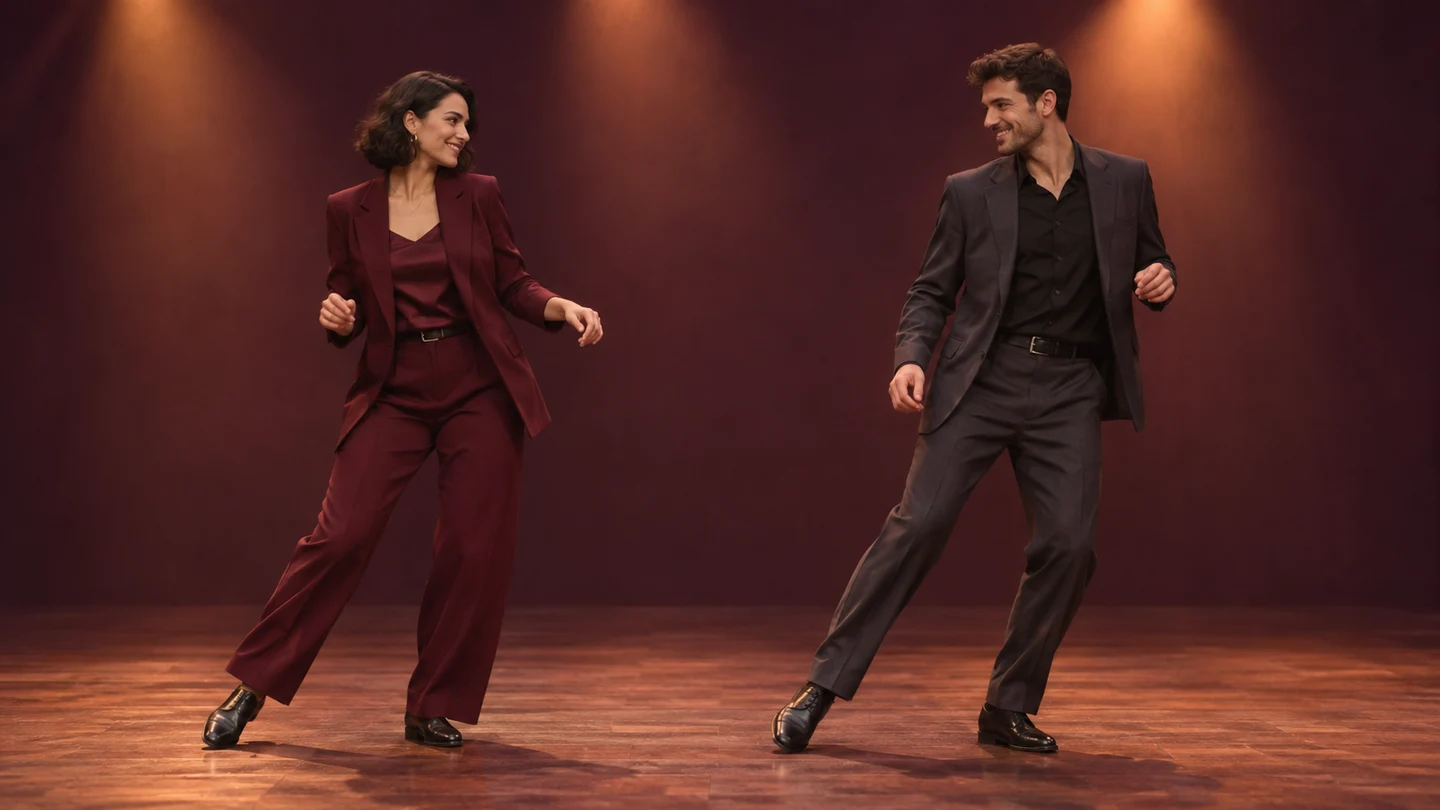
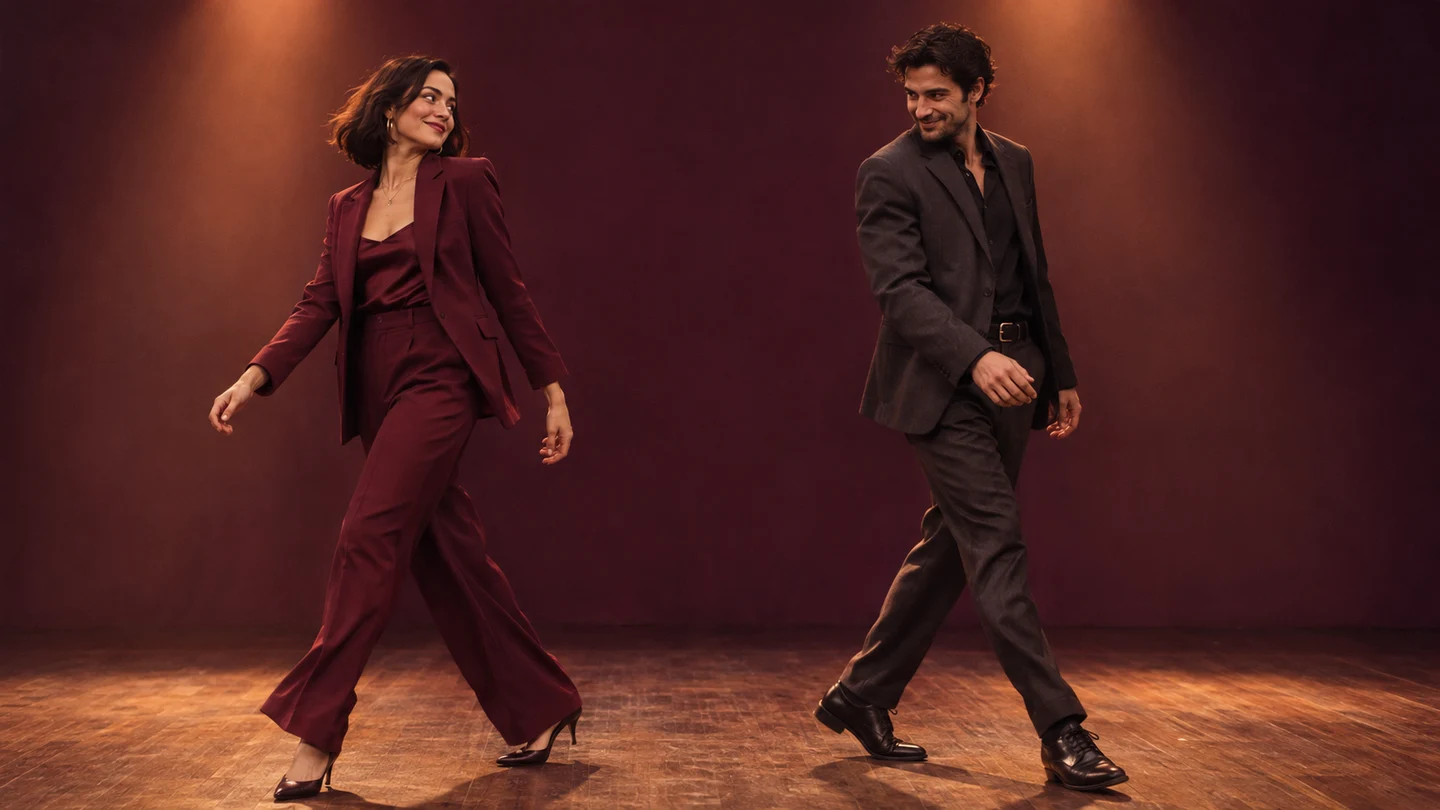
Two dancers begin a coordinated step, with space around each person to keep both faces and outfits readable.

Keep the connection through a side exchange

AI Trouble Maker Video directs a gentle exchange of positions as part of the partner interaction. A compact step past each other gives the scene a small narrative change while keeping movement manageable. During this moment, follow the burgundy jacket or dark suit rather than looking only at screen position. The person who began on the left should remain the same individual after moving. Inspect hands, sleeve edges, and foot contact where bodies approach. A readable crossing matters more than a fast or elaborate flourish.

The partners move past each other while contrasting outfits help distinguish the two performers.

Give both performers a clear final beat

A held final pose lets an AI Trouble Maker Video finish with the partnership still in view. The direction favors a relaxed, confident stance and a brief shared glance rather than a sudden cut or a large lift. Check that both faces remain visible and that hands settle into natural shapes. A stable last moment also provides a useful place to end your external edit. If the strongest portion ends earlier, trim to that point instead of keeping an awkward final gesture.

The duo settles into a balanced finishing pose under the same warm studio lights.

How to make an AI Trouble Maker Video

  1. 01

    Choose two separate portraits

    Start AI Trouble Maker Video with one adult per photograph. Use sharp eyes, an unobstructed face, and enough shoulders to establish the person. Similar camera angles and balanced light make a useful pairing. Avoid sunglasses, heavy beauty filters, and crops where somebody else overlaps the subject. Pick people who are comfortable appearing together in a generated dance scene.

  2. 02

    Upload the pair in order

    Add exactly two JPEG, PNG, or WebP references to AI Trouble Maker Video. The interface allows up to 10 MB per image. Put your intended opening left performer first and your opening right performer second. Check the previews before submission. No first-frame, last-frame, or separate choreography upload is required on this page.

  3. 03

    Choose settings and generate

    AI Trouble Maker Video starts at 10 seconds, 480p, and a wide 16:9 frame to give two dancers space. You can choose the available ratio and resolution, with whole-second durations from 10 to 15 seconds. Review the displayed credit estimate, sign in, and generate. All creative instructions are built in; there is no prompt field.

  4. 04

    Review both people and download

    Watch AI Trouble Maker Video once for the overall rhythm, then again while following each face individually. Pause around the position exchange to check identity, hands, and clothing. Listen to any generated sound before keeping it. Download your chosen take and add your own captions or suitable music in a separate editor if needed.

AI Video Generators for Your Next Project

Turn a photo into a short video for a personal story, a social post, or a playful idea.

  • Outstanding Tiny Desk AI

  • Baby Born with a Mustache

  • Stones to Castle AI

  • Skull Cap Trend AI

Prepare stronger photos for AI Trouble Maker Video

A useful AI Trouble Maker Video pair begins with compatible reference photographs. One bright frontal portrait and one dark profile ask the generator to solve different problems at once. Try two images with similar head size, visible facial detail, and moderate expressions. A plain wall or softly blurred room keeps attention on the person. The source backgrounds do not need to match because the prepared direction creates a new shared stage.

Give AI Trouble Maker Video enough information to distinguish the performers. Different hairstyles, clear clothing silhouettes, or a visible contrast in jacket color can help you track the pair during review. Avoid choosing two nearly identical cropped faces if you cannot easily tell them apart at thumbnail size. Upload the original photographs where possible; repeated screenshots lose details around eyes, hair, and skin that make a person recognizable.

Frame AI Trouble Maker Video for two bodies rather than one face. The wide default leaves more room for the exchange, while a vertical version can place the performers closer together or make their faces smaller. Check the actual crop after generation. Raising resolution gives you more pixels to inspect but cannot guarantee correct identity or anatomy. If a take fails, change one weak reference before spending credits on several more versions.

Finish AI Trouble Maker Video around the clearest interaction. Keep captions away from the faces and feet, and listen before choosing a soundtrack. This tool does not supply the original Trouble Maker recording or guarantee synchronized song choreography. Add audio you have permission to use in your own editing workflow. A short title and a clean ending often communicate the joke better than several layers of effects.

Personal ideas for your AI Trouble Maker Video

The pairing gives the prepared effect its character. Choose a context that both people recognize and keep the surrounding edit focused on their connection.

Make a friendship reunion clip

AI Trouble Maker Video can place two friends in one performance even when their photographs were taken months apart. Choose current, clear portraits so the result feels familiar. Add a reunion date or a short shared joke afterward, leaving the dancers visible. Show the take to your friend before posting, especially when the source photos came from different occasions.

Create a playful couple edit

Use AI Trouble Maker Video as a lighthearted anniversary or weekend project with an adult partner who wants to join in. The shared step and final glance can give the clip a simple emotional arc. Combine it with a real photograph in your external editor if that helps tell your story. Present the dance as a creative scene, rather than footage of an event you actually attended.

Introduce a creative partnership

An AI Trouble Maker Video can provide an informal opening for a collaborator announcement or a personal creator series. Keep names and project details in a separate caption so the generated frame stays clean. A recurring studio mood can connect several posts, but review every new pair independently. Similar settings do not guarantee identical timing or visual quality between generations.

AI Trouble Maker Video questions

Exactly two separate portraits, with one adult in each. AI Trouble Maker Video uses the first reference for the opening left role and the second for the opening right role. A group photograph does not replace the two required uploads.

No. AI Trouble Maker Video has a prepared creative direction and accepts the two portraits plus output settings. Custom prompt input is disabled. This version generates original partner movement from the photos; it does not use a built-in performance video for exact motion transfer.

Review AI Trouble Maker Video at the crossing and compare each face with its source. Try clearer photographs with distinct hair or clothing if the cast blends. The role instructions guide generation, but they do not guarantee perfect identity preservation in every frame.

No original commercial track is supplied by this tool. Check any generated audio in your AI Trouble Maker Video and add appropriately licensed music afterward if you want a particular soundtrack. Exact musical timing and choreography are not promised.

AI Trouble Maker Video shows the current credit estimate before you submit. Check it again after changing duration or resolution. Each new generation is another attempt, so inspect the result before deciding whether a different reference would justify a retry.

Create your own AI Trouble Maker Video

Pick two clear portraits, check their order, and give your pair a shared stage with AI Trouble Maker Video. Start with the wide default, watch both identities through the movement, and keep the take where the partnership reads clearly from the opening step to the final pose.

Upload my two portraits
Image to Image AI logoImage to Image AI

A fresh take on your image. Explore new styles and scenes with AI.

Customer supportsupport@imgtoimageai.com

Tools

  • Remove Glare from Glasses
  • Remove Glare from Photo
  • Photo to Line Art
  • Image Upscaler
  • Realistic Selfie Generator
  • Christmas Photobooth
  • AI 3D Figure Generator
  • Selfie With Santa
  • Christmas Dance Trend
  • Motorcycle AI
  • AI Photo Booth
  • Photo to Sticker
  • QR Code Enhancer
  • AI Long Hair Filter
  • Bicep Heart Trend AI
  • Happy Birthday GIF with Name
  • Apartment Dance
  • AI GIF Generator
  • Executive Portrait Maker
  • AI Trouble Maker Video

Learn more

  • Tools
  • Blog
  • Pricing

Legal

  • Privacy Policy
  • Terms of Service
  • Refund Policy
  • Contact

© 2026 Image to Image AI