


Babydoll Dance AI: Sharp Suits, Small Steps, Big Smiles
Three friends line up, the feet find a rhythm, and the formal outfits suddenly feel playful. Build a Babydoll Dance AI trio with readable faces, connected hands, and an easy two-step.
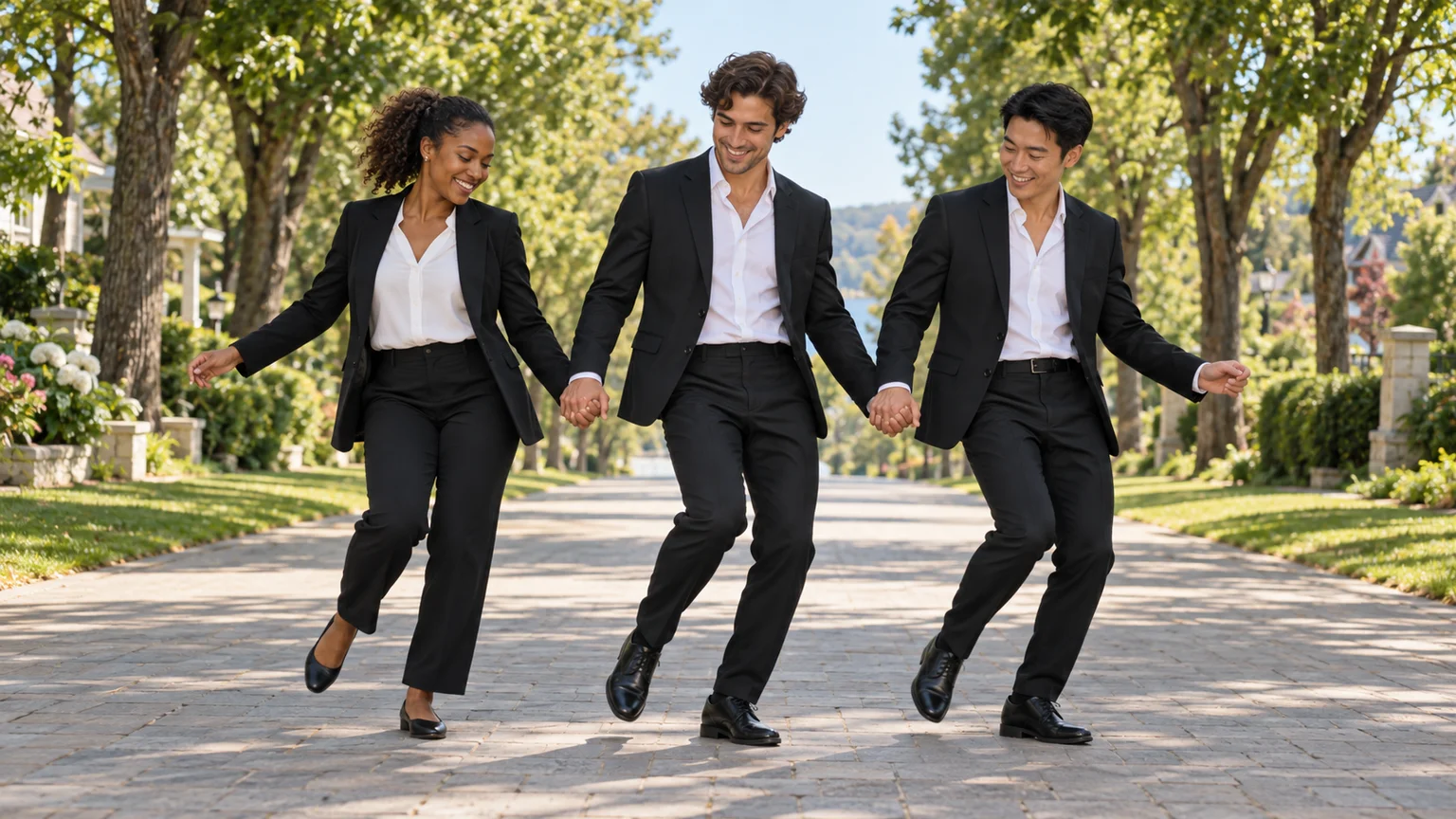
The outfits look ready for a formal occasion. The feet have other plans. Babydoll Dance AI puts you and your friends into a cheerful two-step, with loose knees, swinging arms, and the kind of shared smile that makes a short dance worth watching again.
The tricky part is keeping the group connected without tangling hands or swapping faces. This Babydoll Dance AI guide uses ImgToImage AI to build a clear trio image, animate a short phrase, and prepare a finishing accent. Start with a small amount of coordinated movement and let the personalities supply the charm.
What is the Babydoll Dance AI trend?
The dance is associated with Jamie Miller's song “Babydoll” and his videos performing a light, retro two-step. A recognizable version features three friends in dark suits dancing down a sunny walkway. Babydoll Dance AI adapts that cheerful group format to new faces, using photos as the starting point for an invented performance.
The familiar sequence includes joined hands, side-to-side steps, and a later release into kicks or raised arms. Different versions use different excerpts. Babydoll Dance AI here means the song-inspired dance, rather than a transformation into a baby or doll; the workflow below interprets its movement instead of copying a source video frame for frame.
Cast the line before choosing the moves
Use one clear photo per real participant, with permission from everyone involved. Similar head angles and even lighting help you compare the faces in the group image. For Babydoll Dance AI, a waist-up or full-body reference also supplies clothing and proportions that a tightly cropped face cannot establish.
Assign the roles from the viewer's perspective: screen-left, center, and screen-right. Describe each person by hairstyle or another visible feature when writing prompts. Matching suits are part of the Babydoll Dance AI look, but they remove an easy clothing-color distinction, so keep the three silhouettes and faces clearly separated.
If you have only your own portrait, cast yourself in the center and create two fictional adult companions. That gives Babydoll Dance AI the shared performance without requiring three uploads. Approve the companions in the still image first; repeatedly changing their appearance later can make otherwise matching shots feel like different groups.
Build a Babydoll Dance AI frame that shows the whole line
Open the AI Image Generator and select a model that accepts the number of references you need. Place the trio on a broad, quiet walkway with trees and soft daylight. A Babydoll Dance AI starting scene needs visible shoes and clear space beside the outer dancers, not just attractive portraits.
For a first group composition, 16:9 gives the joined arms room. If your final edit must be vertical, prepare that framing from the beginning and shorten the spacing carefully. Avoid squeezing Babydoll Dance AI dancers so tightly that sleeves overlap or their feet share the same patch of ground.
Adapt this scene prompt:
Create a Babydoll Dance AI starting image with three adult friends in a single line facing the camera. Use the supplied portraits for their assigned positions: Person A at center, Person B on screen-left, and Person C on screen-right. Preserve each person's own face, hairstyle, age, and proportions. Dress them in plain black suits, open-collar white shirts, and black shoes. Put them on a sunny tree-lined walkway. Show every dancer from head to shoes, with natural shoulder spacing and ground below their feet. Neighboring hands connect loosely at hip height; outer hands rest comfortably. Keep knees soft and expressions cheerful. No crossed legs, interlaced fingers, sunglasses, text, or extra foreground people.
Inspect both hand connections separately at full size. Trace each arm back to its owner, then check the ankles and jacket edges. For Babydoll Dance AI, an image with believable joints and useful movement space matters more than a perfectly elaborate background; small anatomical mistakes tend to become more distracting once animated.
Give Babydoll Dance AI one easy phrase first
Step and touch. Ask the dancers to take a small lateral step, bring the other foot alongside, and repeat toward the opposite side. Keep the knees relaxed. Babydoll Dance AI should feel buoyant, but the first test does not need large jumps, crossing legs, or several different kinds of footwork.
Let the arms follow. Joined hands can swing gently below the waist while the shoulders move with the steps. Keep the dancers at a consistent distance from each other. In Babydoll Dance AI, asking one person to travel farther than the others can stretch the connection or pull a companion out of position.
Save the flourish. Treat a low kick, open arm, or small hop as a separate finishing idea. Do not ask the opening take to perform all three at once. A readable Babydoll Dance AI phrase gives you a reliable base before you add a more demanding release or final pose.
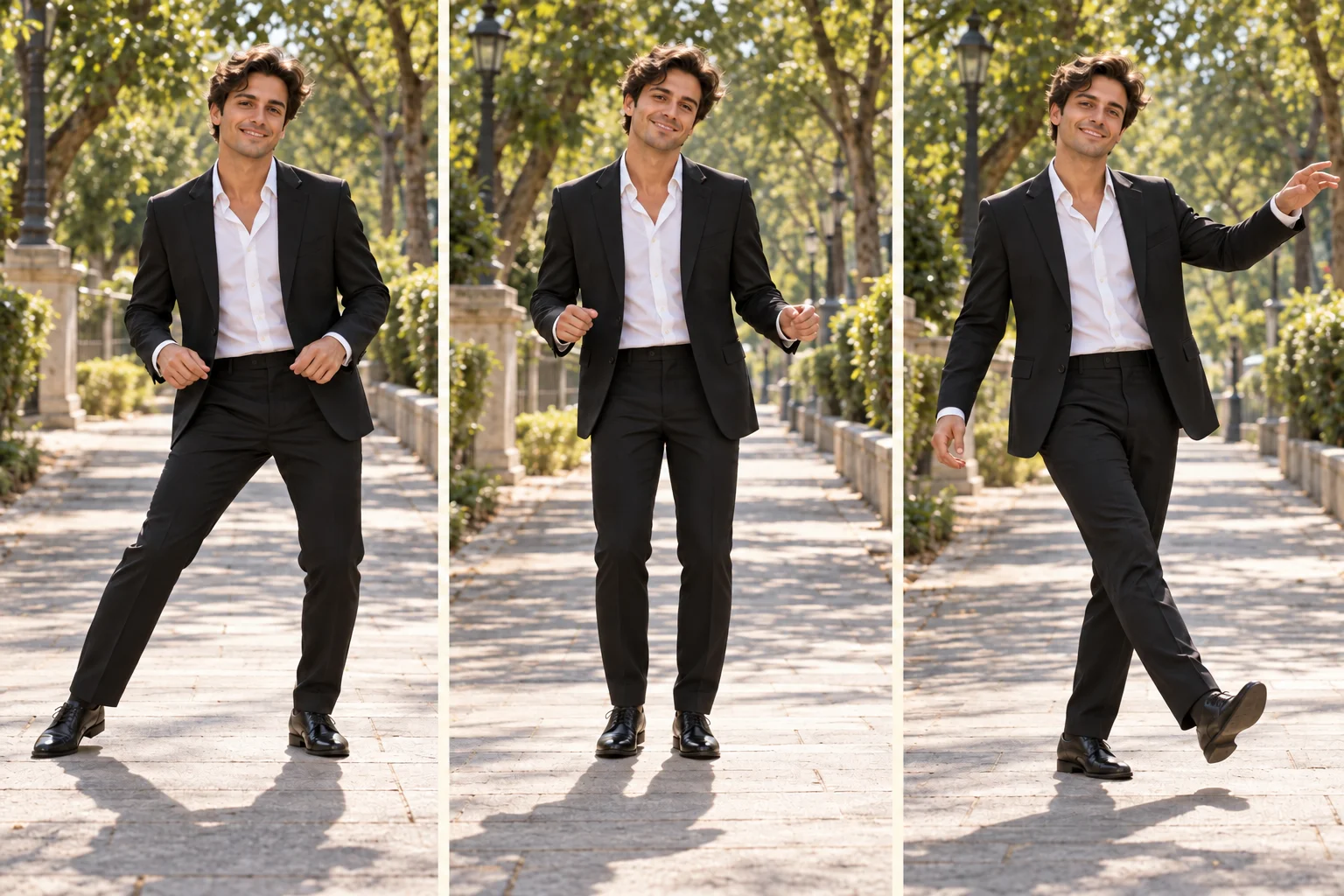
Animate Babydoll Dance AI in the video workspace
Open the AI Video Generator, sign in, and choose Seedance 2.0 Mini. Add the approved trio to Start frame, leaving End frame and Reference images empty. This Babydoll Dance AI setup uses your prepared group and a written motion prompt; it does not accept the original dance clip as a choreography reference.
Try eight seconds at 720p with the same aspect ratio as the starting image. Current controls offer 4–15 seconds, 480p or 720p, and JPEG, PNG, or WebP images up to 10 MB. Check the credit estimate before generating Babydoll Dance AI, especially if you plan separate takes for the opening and finish.
Use this first-take prompt:
Animate this Babydoll Dance AI trio in one continuous eight-second shot. Preserve all three identities, hairstyles, suits, and screen positions. The friends remain in a side-by-side line, loosely holding adjacent hands at hip height. Together they make one small step toward screen-left, touch the other foot alongside, then repeat toward screen-right. Give the movement a gentle knee bounce and relaxed smiles. Their joined arms swing only slightly, with consistent shoulder spacing. Keep all shoes visible and feet contacting the ground. Use a stationary camera and stable daylight. No spins, high kicks, jumps, hand releases, role swaps, or new people entering. Use quiet outdoor ambience without speech or music.
Preview the Babydoll Dance AI result in video history and follow one dancer at a time through the sequence. Then watch the whole line. A small difference in expression feels natural; a person changing sides or suddenly moving in the opposite direction indicates that the next attempt needs simpler coordination.
Fix Babydoll Dance AI from the feet upward
One dancer drifts out of time. Shorten the lateral distance and specify a shared pause after each touch. Avoid combining forward travel with side steps in the first attempt. A Babydoll Dance AI trio can look coordinated through clear starts and stops even when the individual shoulder movements are not perfectly identical.
The joined hands merge. Move the connections lower and leave more space between sleeves in the source image. If they still fail, generate a version with separated hands swinging in parallel. Babydoll Dance AI retains its friendly two-step character without a hand connection that distracts from every other part of the clip.
Shoes slide or exchange feet. Reduce the bounce, remove crossing steps, and ask for one planted supporting foot during each weight shift. Inspect the shadow beneath each shoe. In Babydoll Dance AI, the moment a foot meets the ground often reveals a problem that is easy to miss while watching smiling faces.
Add a finish once the basic rhythm works
Prepare a second image with the same trio, clothes, lighting, and walkway, but with hands separated. Animate a short low kick or one raised arm from that pose. Splitting the Babydoll Dance AI finish into its own take lets you avoid forcing the model to solve a complicated hand release mid-step.
Keep the finishing movement small enough to preserve balance and framing. Match the dancers' positions before joining the shots, and cut where a foot plants or an arm changes direction. Your Babydoll Dance AI edit should feel like one playful exchange, rather than a collection of impressive but unrelated movements.
Let music set the pace of the final edit
Use the audio section you want before making detailed trims. Jamie Miller's “Babydoll” identifies the reference, but this Babydoll Dance AI workflow does not include its recording or guarantee beat synchronization. Add an available track through an editor or posting app, using audio appropriate for your account and intended purpose.
Align a visible foot plant with an accent, then check whether the next step lands comfortably nearby. Trim waiting time before making small speed adjustments. Excessive speeding can make Babydoll Dance AI look hurried and exaggerate foot sliding, while the relaxed bounce is a large part of the dance's appeal.
Mute unwanted generated ambience beneath the chosen music and check the edit on a phone. Keep captions away from the linked hands and shoes. A short line about the occasion is enough context for Babydoll Dance AI; the dancers should remain easy to watch. Identify the invented performance as AI-generated when sharing it.
Can Babydoll Dance AI work as a solo or duo?
Yes. A solo version removes the hand-connection problem and gives the camera more room for a kick or arm gesture. A duo can use wider spacing than a trio in the same vertical frame. Keep the light two-step and cheerful mood so the Babydoll Dance AI interpretation remains recognizable as you change the cast.
Explore the Smalltown Boy duo guide for another shared dance idea. To begin your own line of friends, prepare the group image and open the video workspace. Build Babydoll Dance AI around distinct faces, simple coordinated steps, and one finish that leaves everyone smiling.
Keep exploring
 Video Guides
Invite two friendly ghosts onto your dance floor. Build a Halloween Dance AI video from a photo, or try a playful vampire performance on the porch.
 Video Guides
A tiny dance captain, a barn full of parrots, and one very confident routine. Make a Parrot Dance AI video with your own bird, cat, or dog.
 Video Guides
Turn a photo of you and a friend into an electro dance concept. Learn the Transmission 5 Dance AI look, plan the moves, and create a personal video.
 Video Guides
Open arms, a shoulder bounce, and a knowing look between friends. Create a Puerto Rican Mami Dance AI video with clear gestures and your own personality.