


Ozil Goal AI Video: Put Yourself in a Clever Football Finish
Chip the goalkeeper, wrong-foot the defenders, and roll the ball home. Make an Ozil Goal AI Video starring you in a football highlight with an unexpected twist.
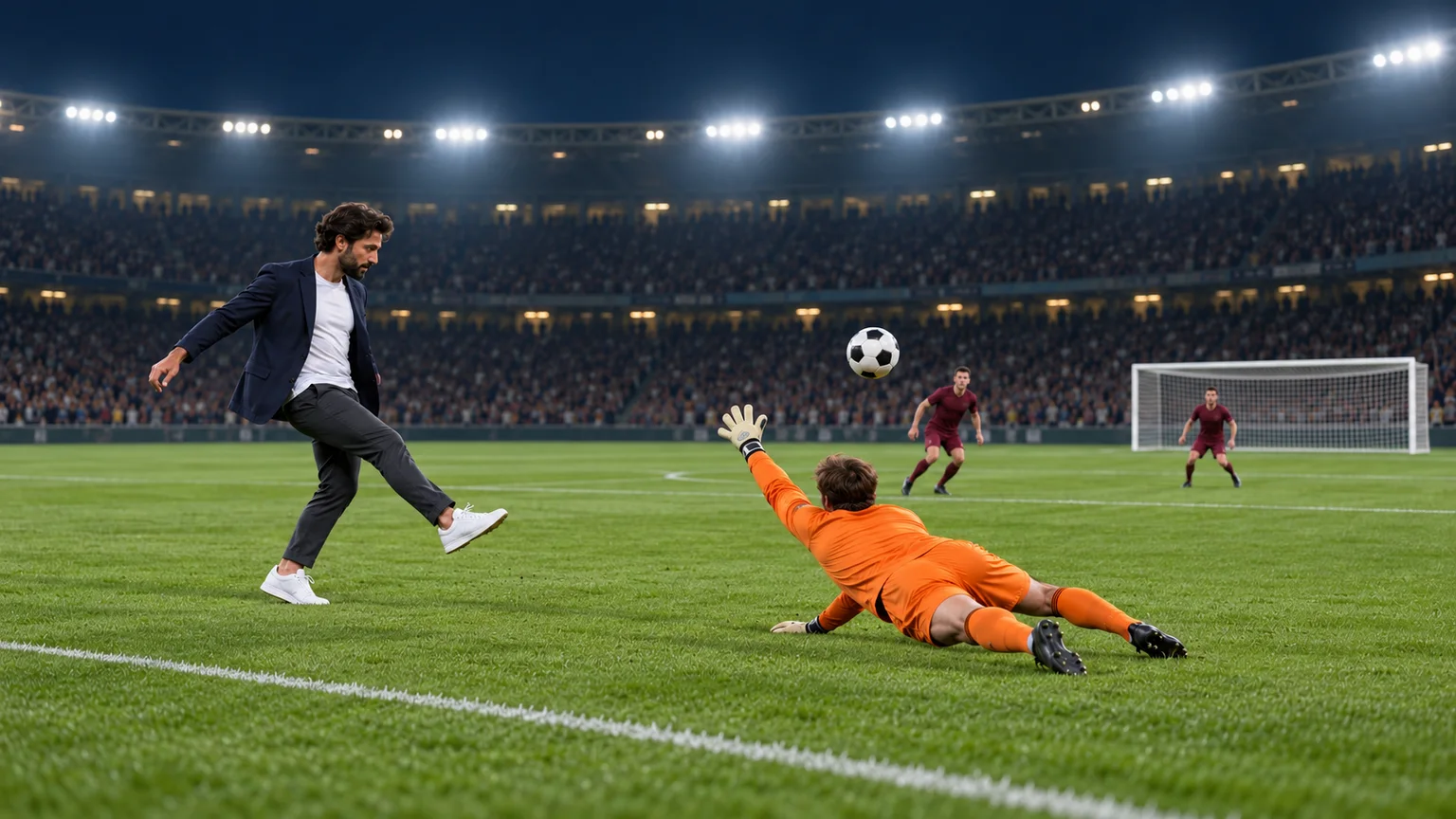
The goalkeeper rushes out. You lift the ball over him, wait while the defenders commit, and finish with a gentle touch. An Ozil Goal AI Video turns that unusually calm piece of football into a personal highlight, often with the scorer still wearing their everyday clothes.
You can build an original version on ImgToImage AI using a prepared image and a motion prompt. The challenge is making several people and one ball move coherently. This guide focuses on staging, action order, and the checks that distinguish a readable goal from a collection of football gestures.
What is the Ozil Goal AI Video trend?
The reference point is Mesut Özil's winning goal for Arsenal against Ludogorets on November 1, 2016, in a 3–2 Champions League victory. The AI trend casts an unexpected scorer in a similar sequence: a chip past the goalkeeper, patient footwork around recovering defenders, and a composed finish into the exposed goal.
The humor comes from control. Everyone else reacts urgently while the scorer seems to have time to spare. A powerful shot from distance would create a different kind of highlight. Here, the hesitation before the final touch is what makes the move recognizable.
This tutorial generates a new stadium scene from your photo. It does not insert you into the original match footage or use a dedicated motion-transfer preset. Your prompt directs an interpretation, so exact choreography and ball physics can vary.
Choose a photo with useful body detail
Start with one clear photo of yourself or someone who has agreed to appear. A full-body image is useful because the sequence involves running, balance, and foot contact. Keep both shoes visible and choose a face large enough to recognize when you zoom in.
A waist-up photo can still provide identity and clothing detail, but the lower body must be invented. Specify trousers and footwear when preparing the scene. Avoid an extreme camera angle that makes one leg look much shorter than the other.
Decide what the outfit contributes. A casual blazer and trainers can make the scorer look wonderfully out of place, while a plain football kit gives a more sporting result. Long coats, loose scarves, and objects held in the hands add moving parts that can obscure the footwork. For a first attempt, keep the silhouette easy to read.
Arrange the pitch before adding movement
An Ozil Goal AI Video needs a clear route toward the net. Place the attacker with the ball at their feet, the goalkeeper ahead, and two defenders closer to goal on separate recovery paths. Do not begin with everyone already colliding around the ball.
Use a three-quarter side view that includes the attacker's shoes and the goal mouth. A very tight portrait hides the action; a distant overhead view makes the face difficult to recognize. For a vertical post, leave space ahead of the scorer and above the keeper for the chip.
Open the AI Image Generator, choose an available model with reference-image input, and upload your photo. Adapt this starting-scene prompt:
Create a realistic football photograph using the adult in my reference image as the attacker. Preserve their face and hairstyle. They wear a navy casual blazer, white T-shirt, charcoal trousers, and white athletic trainers. Show their full body with one black-and-white football resting just ahead of the right shoe. They face toward a single white goal on the right side of a floodlit night stadium. An orange-clad goalkeeper crouches several meters ahead, approaching from the goal. Two defenders in burgundy kits stand farther back on separate sides of the route. Use a three-quarter side camera angle, natural grass, visible pitch lines, and softly focused spectators. Keep every player distinct, with room to move. No club badges, lettering, extra balls, or extra goals.
Inspect the geometry before animating. The keeper should stand between attacker and goal, while the defenders have space to recover. Check that the ball touches the grass and that the goalposts form one consistent frame. Correcting these relationships now gives the motion a more useful starting point.
Create your Ozil Goal AI Video
Upload the prepared starting frame
Open the video workspace, sign in, and select Seedance 2.0 Mini. Put the completed pitch image in Start frame. Leave End frame and Reference images empty for this workflow; the separate reference-image mode cannot be combined with frame inputs.
The model accepts JPEG, PNG, or WebP images up to 10 MB each. It supports 4–15 seconds at 480p or 720p. Request 15 seconds for the complete sequence, giving the chip, recovery, and finish room to unfold. Choose 9:16 for portrait, 16:9 for landscape, or Auto to adapt to the input.
Give each action a clear consequence
Describe what makes the next movement possible: the keeper commits, the attacker retrieves the dropping ball, and a feint opens the shooting lane. Use this motion prompt as a starting point:
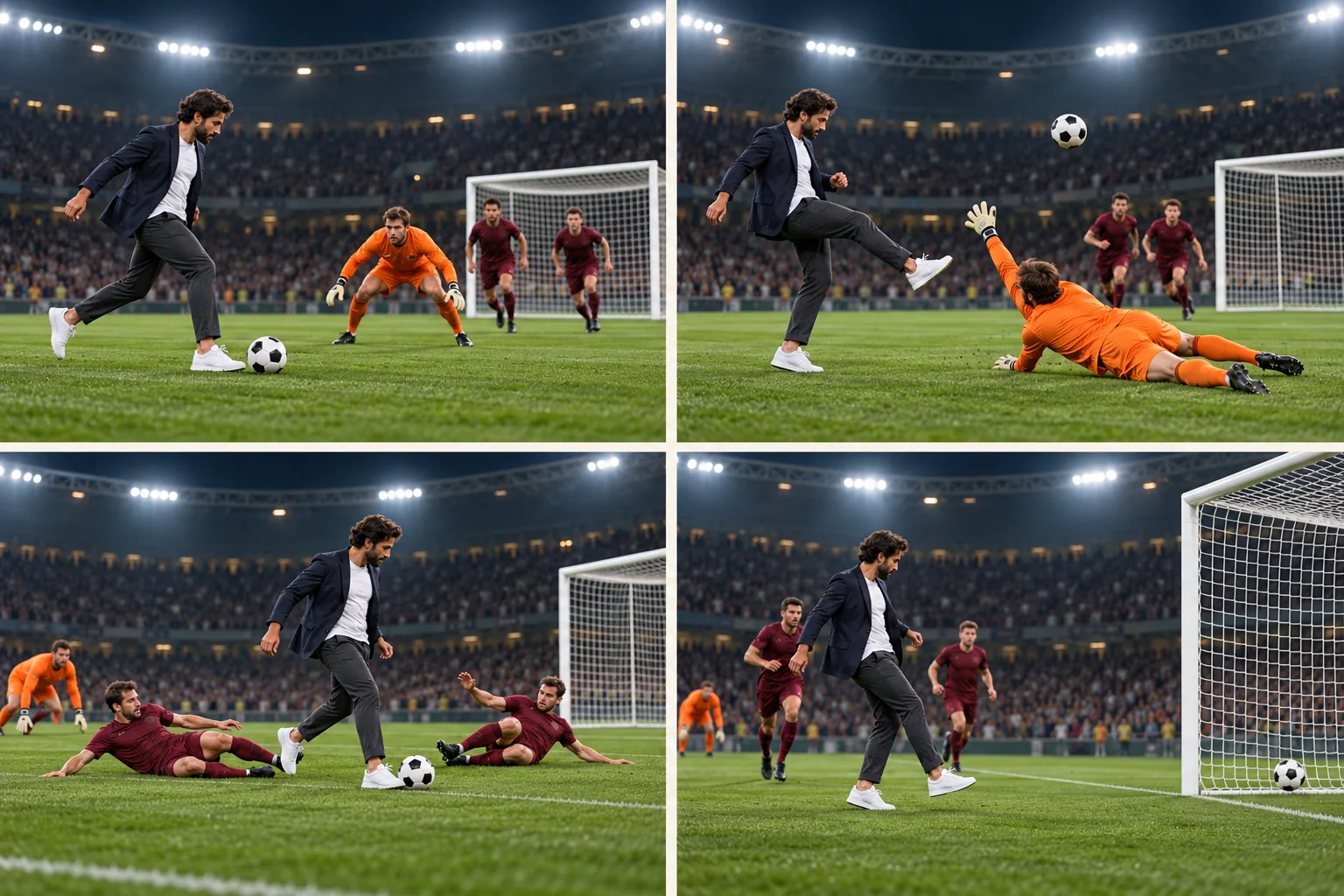
Animate the image as one continuous football attack toward the existing goal. The attacker advances with short controlled touches. As the orange goalkeeper rushes forward and dives low, the attacker lifts the single ball over his reach, runs past him, and controls it after it drops. The two burgundy defenders recover in succession. The attacker slows, feints one way, then takes a small touch across the first challenge as that defender slides past. A second change of direction avoids the other defender. With the goal now exposed, the attacker gently rolls the ball between the posts, across the line, and into the net. Hold briefly on the finish. Preserve the attacker's face and outfit, the same players, and one continuous ball path. Track smoothly from the side, keeping feet, ball, and goal visible. No cuts, extra balls, spins, or tackles making contact with the scorer.
Check the credit estimate before submitting, then open the completed result in video history. If the model compresses the actions or skips the finish, use the adjustments below rather than adding an increasingly long list of instructions.
Check the ball before judging the style
Review your Ozil Goal AI Video once at normal speed, then pause around each contact. Follow the same ball through the entire clip. It should leave the foot, clear the keeper, return to playable height, and continue toward the same goal after the final touch.
The defenders also need believable reactions. A sliding player should move along the grass and stay behind the attack after missing. If they instantly stand up in front of the scorer again, the scene loses its sense of progress.
| Problem | Adjustment to try |
|---|---|
| The ball duplicates during the chip | Emphasize one continuous ball path and reduce camera movement. |
| The ball floats without descending | Request a modest arc followed by a visible drop and controlled touch. |
| Feet pass through the ball | Shorten the dribble and reduce the number of touches. |
| The two tackles happen together | State that defenders challenge in succession, leaving space between them. |
| The goal moves or changes shape | Keep it visible from the start and avoid camera orbits. |
| The clip ends before the ball enters | Remove a flourish or celebration and reserve time for the finish. |
When one stage repeatedly fails, test that stage separately. For example, request a short chip-and-control clip before attempting the defenders again. This isolates whether the difficulty is the initial layout, the ball trajectory, or simply too many actions.
Edit a highlight that viewers can follow
Choose the take with the clearest action before choosing music. An attractive opening cannot rescue an ending where the ball disappears. Keep enough of the approach to establish the keeper's position, and hold the final view until the ball has visibly crossed the line.
If you assemble separate attempts in an external editor, compare clothing, goal position, lighting, and travel direction at the cut. A left-to-right run should not suddenly reverse. Cut during movement where possible, but reject a transition that requires the viewer to imagine a missing touch.
Use a soundtrack available for your account and intended use, or keep suitable generated stadium ambience. Original broadcast commentary is not supplied by this workflow. Keep captions away from the ball and lower legs, and identify the result as an AI recreation when sharing.
For a separate reaction shot after the goal, the Enzo celebration guide offers a football-themed follow-up. Add it after the scoring action is complete so the highlight retains its payoff.
Ozil Goal AI Video questions
Can I use an original cartoon character?
Yes, you can prepare a character scene in the image stage. Clear feet and a recognizable kicking stance help communicate the movement. A nonhuman body introduces different proportions, so simplify the dribble and review its contact with the ball carefully.
Is a longer clip always better?
No. Use the available duration to support the action you actually need. A short chip study is useful for testing, while the complete goal benefits from more time. Extending a clip will not correct a malformed starting image or an unclear route to goal.
Should I add slow motion?
Use it sparingly in an external editor after choosing a coherent take. Briefly slowing the chip can make the touch easier to see, but stretching the entire clip weakens the contrast between the rushing defenders and the calm scorer. Return to normal speed for the finish.
Make your next Ozil Goal AI Video in the AI Video Generator: upload your prepared frame and direct a finish built around patience and control.
Keep exploring
 Video Guides
A low camera, an absurd stack of cash, and a perfectly serious face. Break down a real Money Flex AI example and plan your own version with practical prompts.
 Video Guides
Step through the gate and make the path your stage. Create a Fergie Baby AI walk from your photo, with a confident stride, expressive gestures, and a camera that keeps pace.
 Video Guides
An outrageous dunk, a stunned defender, and a cheeky finish. Create a Basketball Middle Finger AI clip with your own cast and a play the camera can follow.
 Video Guides
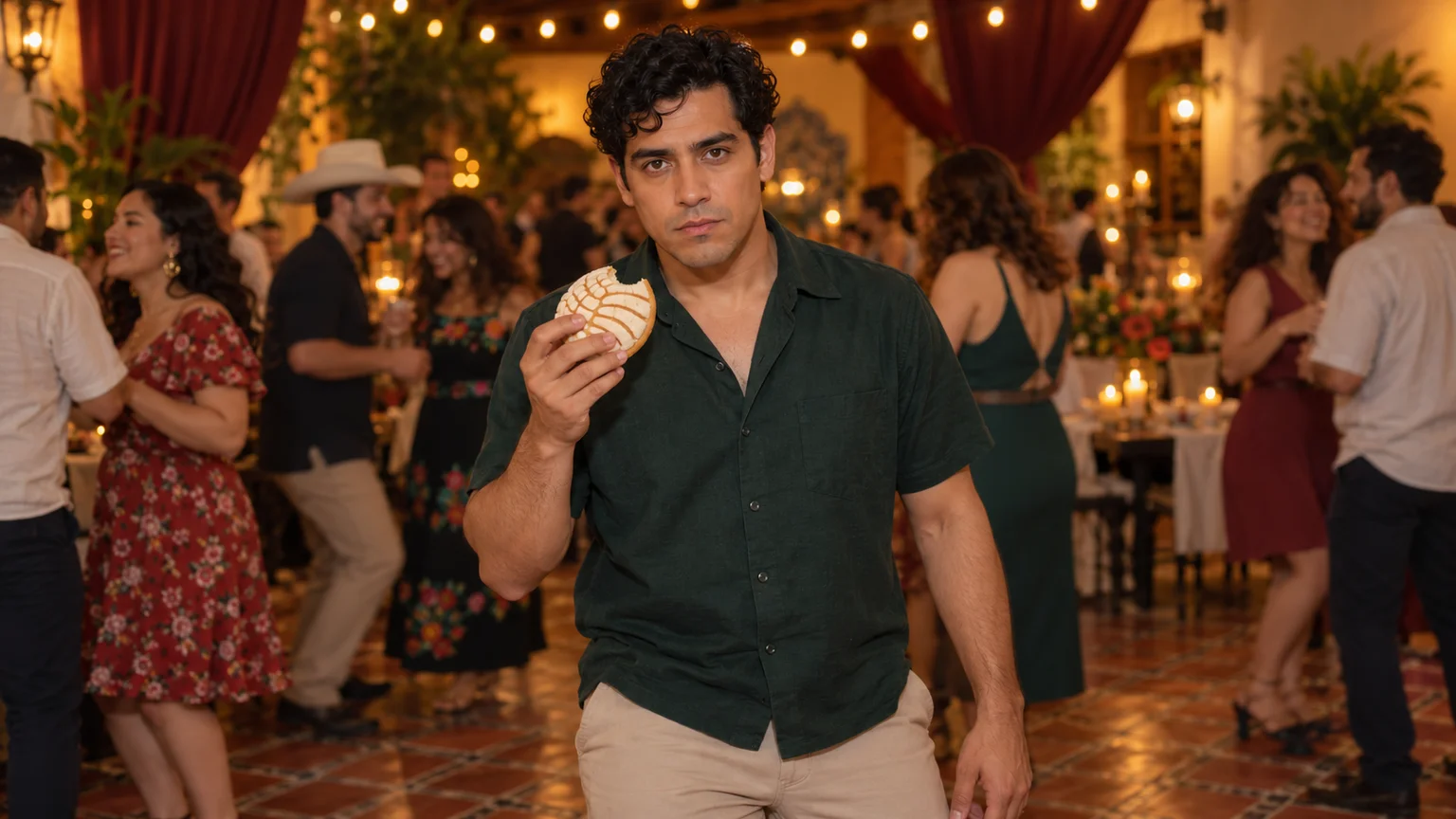
The party keeps moving, but you stop to stare. Make a Bby Wow Guy AI scene with your photo, a concha, and the awkward pause that makes the joke land.